
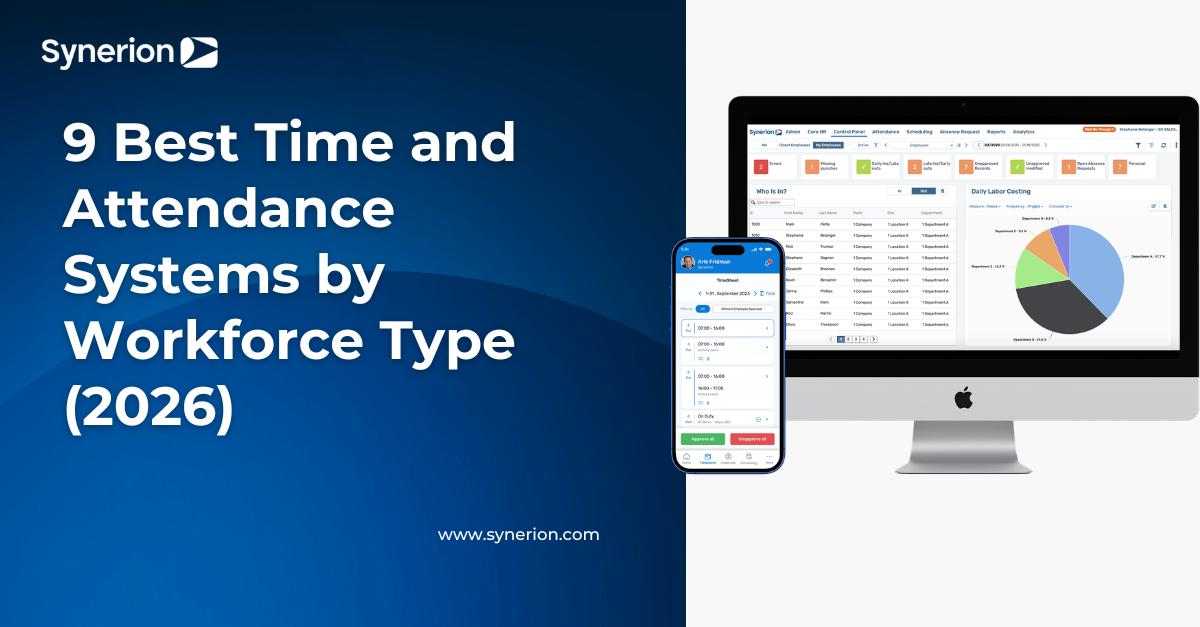
9 Best Time and Attendance Systems by Workforce Type (2026)
Every pay period, your team absorbs the gap. Shift differentials get manually adjusted before export. The 9/80 alternating Friday gets corrected after the fact. The union agreement's seniority-based premium runs through a spreadsheet overlay. Your platform can't hold that rule natively.
The hours are right. The math is wrong. Someone fixes it again. That's the problem the best time and attendance systems should solve. Most don't. Generalist platforms treat your rules as exceptions your team manages. Not rules the system enforces.
When your workforce runs on union agreements, shift differentials, or overtime equalization, look past the longest feature list. The right platform configures those rules at the system level, so your payroll team can finally stop rebuilding them every cycle.
Main Takeaways
- Two criteria predict whether a time and attendance system works for complex workforces. They are rules-engine depth and payroll integration method.
- Payroll integration ranges from real-time API sync to manual CSV export. The method determines how much manual correction reaches your payroll run.
- Union agreements, 9/80 schedules, and other complex rules should execute at the system level. Otherwise, your payroll team has to recreate them every cycle.
- The right platform depends on workforce type. Field crews need GPS and offline tracking. Mid-market operations with union rules need a native rules engine.
- Two common mistakes derail time and attendance software decisions. One is assuming every payroll integration is binary. The other is underestimating the go-live timeline.
Top Criteria for Evaluating Time and Attendance Systems
Every platform in this ranking was measured against five criteria. These criteria determine whether it survives your first complex pay period:
- Rules-engine depth. Can it configure union agreements and overtime equalization without manual work? Can it handle shift differentials and 9/80 schedules at the system level?
- Hardware support. How can employees clock in? Biometric terminals, radio frequency identification (RFID), kiosk, or mobile? Look for support that matches the way your workforce operates.
- Payroll integration method. How does the system send approved time to payroll? API sync, scheduled export, or native same-vendor integration? The answer affects both implementation and ongoing maintenance.
- Go-live timeline. How long will implementation take? Note that the answer depends on your workforce size, pay rules, and integrations.
- Pricing model. How is the platform priced? Make sure you understand what's included before you compare costs.
How we evaluated: each platform was assessed against these five criteria using vendor documentation, published pricing pages, and verified user reviews on Capterra. Pricing and ratings were last verified in August 2026 and may change; confirm current details with each vendor.
Most roundups score platforms on feature count. But the criteria that predict whether a system works for your operation are much different. Feature lists don't tell you what happens when a pay rule falls outside the platform's configuration range.
Rules-Engine Depth and Payroll Integration: The Two Criteria That Separate Platforms
Rules-engine depth and payroll integration method are where platforms diverge most. They're also where buyer regret concentrates. Take a vendor that claims payroll integration. It might mean real-time API sync of pay codes and overtime calculations. Or it might mean a CSV export your team cleans before every import.
Those are completely different operations. The distinction disappears behind a single checkmark on a feature matrix. Cloud-delivered platforms now dominate the category, too. The integration method has become the real difference-maker. Not whether the software runs on-premise or in the cloud.
The cost of getting integration wrong is measurable. Just check the 2026 UKG–KPMG executive payroll survey. Organizations lose 2 to 4% of total labor spend to payroll leakage from process gaps, system limits, and fraud. Much of that leakage starts in the gap between time capture and payroll execution.
The integration method determines how much manual handling sits in that gap. It also controls how many errors, missed pay codes, and misapplied premiums reach your payroll run uncorrected.
When a platform scores well on rules-engine depth, the remaining criteria become solvable. The same goes for the payroll integration method. Hardware, timeline, and pricing matter, but they're negotiable. A weak rules engine or a manual export process creates problems that no amount of features makes up for.
The Best Time and Attendance Systems by Workforce Type
The best time and attendance system depends on your workforce structure. A platform built for 20-person remote teams won't handle shift differentials across three union locals. A system designed for enterprise manufacturing won't make sense for a 15-seat startup.
Choose a platform that matches the way your workforce operates. Otherwise, your team will end up handling the gaps with manual work. We start with the segment we build for: complex pay rules.
Compare the Best Time and Attendance Systems at a Glance
Every time and attendance system solves a different problem. Some are built for small teams with simple scheduling, while others are designed for large, multi-site operations. Use the chart below to see where each platform fits.
Prices reflect annual billing where vendors offer it and were verified in August 2026.
Here's what makes each platform the right fit for its intended workforce.
The Best System for Mid-Market and Enterprise Teams with Complex Rules
Best for mid-market and enterprise operations with complex pay rules: Synerion. We support union agreements and overtime equalization. We also handle shift differentials and 9/80 schedules. Our rules engine configures those pay rules at the system level. It doesn't push them to your payroll team as manual corrections. We've been at this for more than four decades, with 1,600+ organizations worldwide and a 4.7/5 rating on Capterra. Our in-house team runs every implementation, no outsourced consultants. Pricing is quote-based and falls in the mid-market range.
Best for large enterprise with broad human capital management (HCM) needs: UKG. It's the pick if you'd rather run HR, payroll, and workforce management as one suite from a single vendor. Pricing is quote-based and enterprise contract-driven.
Manufacturing operations layer union rules on top of shift differentials and labor costing by job code. That's a configuration set, not a feature wish list. The time and attendance system for manufacturing needs to hold all of those rules at once. It must apply them automatically across shifts, departments, and bargaining units.
The Best System for Hourly, Shift-Based, and Field Teams
Best for hourly and shift scheduling across multiple locations: Deputy. It pairs shift-swap workflows with demand-based auto-scheduling. Pricing starts at $5/user/month with a $30 monthly minimum.
Best for retail and hospitality operations: Homebase. It handles predictive scheduling compliance and multi-location management from a single dashboard. It also offers tip tracking. Pricing is per location: free for a single location, with paid plans from $24/location/month.
Best for field and construction crews requiring location verification: ExakTime or busybusy. Both provide GPS-stamped clock-ins with offline tracking and job-code labor costing. ExakTime runs $9/user/month billed annually plus a $50 monthly base fee. busybusy offers a free plan, with its Pro tier at $9.99/user/month.
Field and retail needs differ in specific ways:
- Field teams need GPS verification, offline capability, and cost allocation by job code.
- Retail and hospitality teams need multi-location oversight, tip tracking, and compliance with local predictive scheduling laws.
The Best System for Small and Remote/Hybrid Teams
Best for small deskless teams under 50 employees: Connecteam or Homebase. Both combine mobile clock-in with task management in a single app built for non-desk workers. Connecteam is free for up to 10 users, then starts at $29/month for the first 30 users.
Best for remote and hybrid startups tracking hours across distributed teams: Clockify or Jibble. Both offer lightweight time capture with project-level tracking that fits knowledge-worker workflows. Clockify's paid tiers start at $4.99/user/month, and Jibble's core time tracking is free for unlimited users.
All tools in this category cover basic clock-in and clock-out for small teams. They break down at roughly 50 or more employees. That's the inflection point where payroll export needs, audit trails, multi-location management, and compliance rules exceed what free tiers support. Manual workarounds at that threshold typically cost more than a paid platform.
When a Generalist HCM Time Module Isn't Enough
A generalist HCM suite's time module handles standard schedules and basic overtime. Some workforces run on more complex rules. Think union agreements, 9/80 schedules, shift differentials, overtime equalization, or wage grids. Those rules are either configured at the system level or handled manually.
That line separates what we call native rules configuration from workaround configuration. It determines whether your time and attendance software removes manual corrections or creates them.
The specific configurations that break generalist modules are predictable:
- Union collective bargaining agreements (CBAs) with seniority-based shift assignments. The system must rank employees and apply assignment logic automatically.
- Compressed 9/80 schedules with alternating off-Fridays. The platform must track which Friday is worked and which isn't across every pay period. It should do so without manual toggling.
- Shift differentials that vary by time of day and day of week. Rate calculations must apply at the punch level.
- Overtime (OT) equalization across bargaining units. Real-time tracking of OT distribution keeps assignments balanced.
- Wage grids tied to classification and tenure. Step-rate logic must update automatically.
- Attendance point policies with step-by-step discipline triggers. The system must add up points without a spreadsheet sitting alongside it. It should also apply thresholds and generate alerts automatically.
Generalist platforms handle these through workaround configuration. Payroll teams build spreadsheet overlays and manually adjust pay codes before export. Or they correct time records after the fact. A platform with native rules configuration stores these rules at the system level. They execute automatically, every pay period, without manual work.
The difference shows up in enforcement exposure. The U.S. Department of Labor recovered over $1 billion in back wages and damages from January 2021 through September 2024. Timekeeping and overtime were core enforcement domains. Manual workarounds create the exact gaps that enforcement actions target.
The demand for native rules engines isn't a niche need, either. The U.S. has 14.3 million union members, or 9.9% of wage and salary workers, according to the Bureau of Labor Statistics. That segment is large enough to sustain an entire category of specialist time and attendance programs. Every one of those members works under a CBA. That CBA defines shift assignments, premiums, and overtime rules. Your system either holds those rules natively or your team rebuilds them manually.
Buyer Checklist: 6 Questions to Ask Before You Commit
Before you finish a shortlist, ask these six questions. They reveal whether a platform can handle your pay rules or whether your team will handle them instead:
- Can the system configure our specific overtime and premium rules without spreadsheet workarounds?
- What does the payroll integration actually do? API sync, scheduled export, or manual file transfer?
- What's the go-live timeline, and is the vendor or a third-party integrator running it?
- How does the system handle exceptions and manager approvals at the clock level?
- When a state or local rule changes, is that a configuration update or custom development?
- What does adoption support look like: training content, change management resources, hypercare?
Failing to ask these questions can land you in hot water. Three mistakes show up repeatedly in time and attendance buying decisions:
- Choosing time tracking software when the real need is attendance and compliance. These are different categories. Time tracking captures hours for billing. Time and attendance captures hours for payroll and enforces scheduling rules. It also maintains audit trails. Buying the wrong category means restarting your evaluation from scratch.
- Treating "integrates with payroll" as a binary. The method matters more than the partner list. One has an API sync that pushes pay codes and overtime calculations in real time. The other has a scheduled CSV export your team must review and correct before import.
- Underestimating go-live risk. A 12-week in-house go-live, like our standard mid-market deployment, is a realistic timeline for a specialist vendor. An 8-month enterprise rollout with a third-party integrator is a different project entirely. Confusing the two leads to budget overruns and stalled adoption. After all, only 27% of organizations used formal change management during HR tech transitions, according to Sapient Insights Group.
The specialist-vs-generalist distinction comes down to one question. Are the rules your workforce runs on configured once at the system level? Or are they rebuilt manually every pay period by your team?
Start Managing Complex Pay Rules with Synerion
You now have a framework for evaluating any time and attendance platform. Use it to test whether a vendor configures your pay rules natively or pushes them to your team. The five evaluation criteria and workforce-type mapping give you the structure to pressure-test any shortlist. Focus on whether the system can hold your actual rules, not on feature count.
We built Synerion to handle your real-world workforce rules without compromise. We handle union agreements and overtime equalization at the system level. Shift differentials and 9/80 schedules are standard. Each rule is configured once and enforced automatically.
Every location executes the same pay rules without manual work. Payroll closes without the recurring corrections that generalist software requires. See how Synerion time and attendance cloud software configures complex pay rules without the workarounds.
FAQs About the Best Time and Attendance Systems
What Is the Best Software for Attendance?
It depends on your workforce structure. Connecteam works well for small deskless teams under 50 employees. Deputy handles hourly shift scheduling across multiple locations. Synerion configures complex pay rules like union agreements and shift differentials for mid-market and enterprise operations. The right choice removes manual payroll corrections for your specific rules.
What Is the Best Timesheet Software?
Timesheet software like Harvest or Toggl Track tracks billable hours by project. But time and attendance software is different. It tracks when employees start and end shifts, feeds hours into payroll, and enforces scheduling rules. If your primary need is payroll accuracy and compliance, time and attendance is the correct category. Many buyers search for timesheet software when they actually need attendance tracking.
Do I Need Hardware (Physical Time Clocks) or Is Software-Only Sufficient?
It depends on your workforce type. Remote and hybrid knowledge workers can use mobile app clock-in. Small retail or restaurant teams work well with tablet kiosks. Manufacturing, construction, or regulated environments typically require biometric terminals or RFID readers. These prevent buddy punching and meet audit needs.
Hardware becomes necessary when workforce density, audit exposure, or buddy-punching risk exceeds what app-based tracking can control. Many operations run hybrid setups. They use mobile for salaried staff, and biometric terminals for hourly production teams.
How Long Does It Take to Implement a Time and Attendance System?
Timelines vary by complexity. Small businesses using out-of-box configurations can go live in two weeks. Mid-market operations with complex rules typically need 12 weeks with an in-house vendor team. Large enterprise rollouts requiring third-party integrators take six to eight months. Rule complexity and integration depth determine the timeline. So does whether the vendor or a consultant leads the project. Ask vendors whether go-live includes training, data migration, and payroll integration testing.
When Does a Free Time and Attendance Tool Stop Being Enough?
Free tools work for basic clock-in and clock-out with teams under 50 employees. They break down when you need:
- Payroll export with pay code mapping
- Audit trails for compliance
- Multi-location management
- Manager approval workflows
- Any configuration beyond standard overtime
At that threshold, manual workarounds typically cost more than a paid platform. Free tiers commonly limit integrations, reporting depth, and rule configuration. Those are the features that remove manual work.