
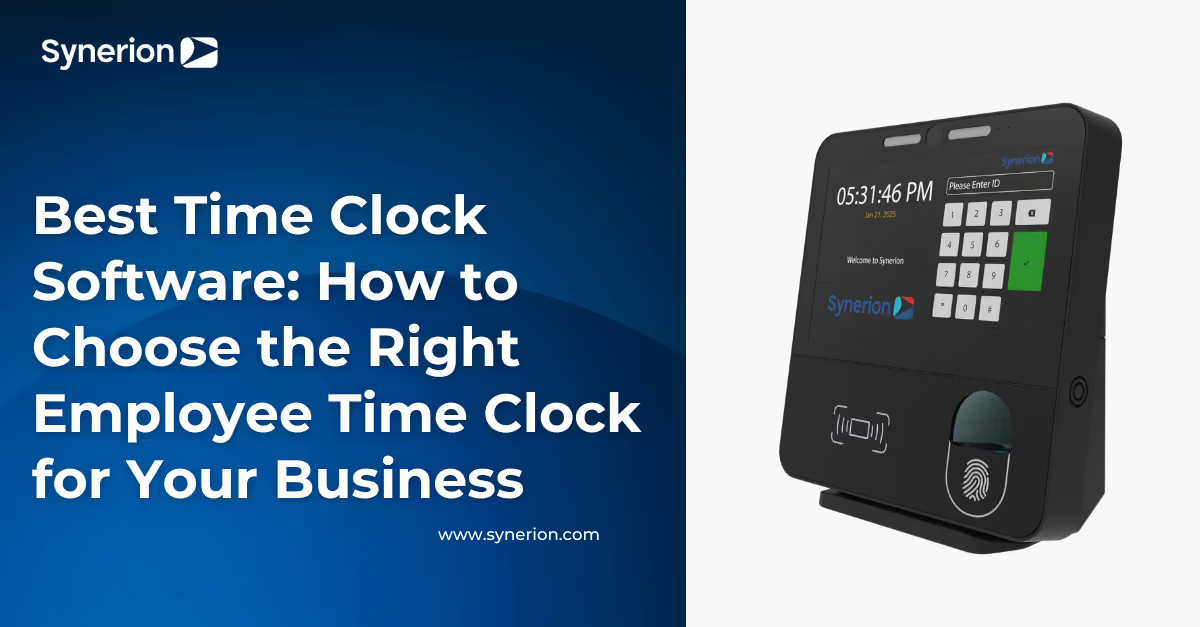
Best Time Clock Software: How to Choose the Right Employee Time Clock for Your Business
.jpg)
Introduction
Whether you manage 50 employees or 5,000, one thing is true: accurate time collection is the foundation of workforce management.
Yet when businesses begin searching for the best time clock software, they often focus on the wrong question.
"Which time clock is the best?"
The better question is:
Which time clock is best for my workforce?
A manufacturing plant has very different needs than a hospital. A construction company doesn't collect employee time the same way as a corporate office. Some organizations need rugged biometric hardware. Others benefit from mobile clock-ins, employee self-service kiosks, or outdoor-ready devices.
The reality is that the best employee time clock isn't one specific device—it's the one that fits how your employees actually work.
In this guide, we'll compare the most common employee time clock systems, explain where each one works best, and show you how to choose the right solution for your organization.
What You'll Learn
By the end of this guide you'll understand:
- What makes the best time clock software
- The different types of employee time clocks
- When to use biometric vs mobile time clocks
- How facial recognition helps reduce buddy punching
- Which time clock works best for manufacturing, healthcare, construction, warehouses, and offices
- The features every modern time clock system should include
- How to choose a solution that grows with your business
What Is Time Clock Software?
Time clock software is a system that records employee work hours, attendance, breaks, overtime, and labor data.
Instead of relying on paper timesheets or manual punch cards, modern employee time clock software captures punches electronically and automatically applies company work rules before approved hours flow into payroll.
Today's solutions can collect employee punches using:
- Facial recognition
- Fingerprint biometrics
- RFID badges
- PIN numbers
- Mobile phones
- Tablets
- Web browsers
The best time clock software doesn't simply record punches—it becomes the central hub for employee time and attendance, scheduling, compliance, labor costing, and workforce analytics.
When paired with workforce management software, organizations gain real-time visibility into labor costs, attendance trends, overtime, scheduling, and compliance from one connected platform.
Time Clock Software page
Why Businesses Are Replacing Traditional Punch Clocks
Employee time tracking has changed dramatically over the past decade.
Paper timesheets, punch cards, and standalone clocks leave organizations dealing with:
- Buddy punching
- Missed punches
- Payroll corrections
- Manual approvals
- Compliance risks
- Administrative work
- Limited visibility into labor costs
Modern employee time clock software eliminates many of these challenges by automating time collection and applying business rules automatically.
Instead of managers spending hours correcting timecards each pay period, the system flags exceptions in real time, helping organizations improve payroll accuracy while reducing administrative effort.
What Makes the Best Time Clock Software?
Not every business needs the same features, but the best employee time clock software typically includes:
Accurate Employee Verification
Employees should be able to clock in quickly while ensuring punches belong to the correct person.
Verification methods include:
- Facial recognition
- Fingerprint biometrics
- RFID badges
- PIN codes
- Mobile GPS verification
Multiple Ways to Capture Time
Today's workforce isn't always working in one location.
The best systems support multiple collection methods, allowing organizations to mix and match based on each work environment.
For example:
- Manufacturing → Biometric clock
- Office → Employee kiosk
- Construction → Outdoor tablet
- Remote employees → Mobile app
Every punch should flow into the same workforce management platform.
Payroll & HR Integrations
Time collection shouldn't create more work.
Look for software that integrates with your existing payroll, ERP, and HR systems to reduce duplicate entry and improve accuracy.
Employee Self-Service
Modern employees expect access to their own information.
Many organizations now allow employees to:
- View schedules
- Request time off
- Check balances
- Review hours worked
- View timesheets
without contacting HR.
Reporting & Analytics
The best time clock software helps managers make decisions—not just collect data.
Real-time dashboards, labor reporting, attendance trends, overtime alerts, and workforce analytics allow organizations to identify issues before they become expensive problems.
Types of Employee Time Clocks
One of the biggest misconceptions is that every organization needs the same time clock.
In reality, different environments require different methods of collecting employee time.
Let's look at the most common options.
1. Facial Recognition Time Clocks
Facial recognition has quickly become one of the most popular methods of employee time collection.
Instead of swiping a badge or entering a PIN, employees simply look at the device.
The system verifies their identity in seconds before recording their punch.
Benefits
✔ Touchless verification
✔ Helps reduce buddy punching
✔ Fast employee throughput
✔ No badges to replace
✔ Minimal employee interaction
Facial recognition works particularly well in manufacturing, healthcare, distribution, and organizations with large hourly workforces.
One example is the Synerion Fusion, which combines facial recognition with optional fingerprint, RFID, and PIN authentication, giving organizations flexibility while maintaining accurate time collection.
Recommended: Synerion Fusion
2. Fingerprint Time Clocks
Fingerprint biometric clocks remain one of the most reliable employee punch clock systems available.
Instead of relying on something employees carry, fingerprint verification confirms who is actually punching.
This helps organizations improve attendance accuracy while reducing time theft.
Fingerprint clocks are commonly used in:
- Manufacturing
- Warehousing
- Government
- Distribution
- Logistics
Recommended: Synerion Swift
3. Employee Self-Service Time Clocks
Sometimes employees need more than a clock.
Large touchscreen kiosks allow workers to:
- Review schedules
- Submit time-off requests
- View balances
- Check recent punches
- Access workforce information
without visiting HR.
This is especially valuable for deskless workforces where employees don't regularly use computers.
The Synerion Horizon combines biometric verification with a large touchscreen employee self-service experience, making it ideal for healthcare, manufacturing, and other frontline environments.
Recommended: Synerion Horizon
4. Outdoor Time Clocks
Not every employee works inside four walls.
Construction crews, utility workers, logistics teams, shipping yards, agriculture, and municipal operations all face environmental conditions that traditional time clocks weren't designed for.
Outdoor time clocks need to withstand:
- Rain and snow
- Heat and cold
- Dust and debris
- Heavy daily use
- Gloves and protective equipment
At the same time, organizations still need accurate employee time tracking and labor allocation.
Modern outdoor time clock solutions combine rugged hardware with features like picture validation, job transfers, and real-time synchronization to ensure accurate time collection no matter where work happens.
For organizations with outdoor operations, the Synerion Sentinel provides a weather-resistant tablet-based time clock designed specifically for harsh environments.
Best For
- Construction
- Utilities
- Transportation
- Agriculture
- Municipal Services
- Logistics Yards
Key Benefits
- Weather-resistant design
- Picture validation
- Job and labor transfers
- Real-time synchronization
- Built for demanding environments
Recommended: Synerion Sentinel
5. Mobile Time Clock Apps
Sometimes the best employee time clock isn't a clock at all.
As more organizations embrace hybrid work, field service, home healthcare, and distributed teams, mobile time clock software has become one of the fastest-growing methods of collecting employee time.
Instead of installing hardware at every location, employees simply use their smartphone to clock in and out.
Modern mobile time clock apps can include:
- GPS verification
- Geofencing
- Job transfers
- Project selection
- Supervisor approvals
- Offline punching
- Employee self-service
For organizations with remote employees or multiple worksites, mobile punching eliminates the need for additional hardware while maintaining accurate time collection.
Synerion Mobile includes GPS verification and geofenced punching and is included with your Synerion workforce management solution, making it easy to support employees wherever work happens.
Best For
- Home healthcare
- Field service
- Sales teams
- Hybrid employees
- Multi-site supervisors
- Remote workers
Which Employee Time Clock Is Best for Your Industry?
There isn't a universal "best" employee time clock.
The right solution depends on your workforce, work environment, and operational requirements.
Here's what we typically recommend.
Manufacturing
Manufacturing environments often require:
- Fast employee throughput
- Rugged hardware
- Multiple shifts
- Gloves
- High employee volumes
- Overtime tracking
Recommended solutions:
- Synerion Fusion for touchless facial recognition
- Synerion Swift for rugged biometric verification
Healthcare
Healthcare organizations need:
- Fast shift changes
- Hygiene-conscious authentication
- Employee self-service
- Complex scheduling
- Compliance
Recommended solutions:
- Synerion Horizon
- Synerion Fusion
Construction
Construction teams often work across multiple locations with changing job sites.
Recommended solutions:
- Synerion Sentinel
- Synerion Mobile
These allow organizations to accurately capture time while supporting field operations and job costing.
Warehousing & Distribution
Distribution centers typically require:
- High-volume employee punches
- Shift work
- Durable hardware
- Quick authentication
Recommended solutions:
- Fusion
- Swift
Retail
Retail managers often prioritize:
- Scheduling
- Employee self-service
- Mobile flexibility
- Easy deployment
Recommended solutions:
- Horizon
- Mobile
Corporate & Office Environments
Office employees generally benefit from flexibility more than rugged hardware.
Recommended solutions:
- Mobile punching
- Employee self-service kiosks
- Web-based time collection
How to Choose the Right Employee Time Clock
If you're evaluating time clock software for the first time, start by asking these questions.
1. Where will employees clock in?
Indoor?
Outside?
At multiple locations?
From home?
Your environment will quickly eliminate some options while highlighting others.
2. How important is identity verification?
If buddy punching or time theft is a concern, biometric verification through facial recognition or fingerprint authentication can significantly improve accuracy.
If verification requirements are less stringent, badge or PIN-based systems may be sufficient.
3. Will employees need self-service?
Many organizations want employees to do more than simply clock in.
Consider whether workers should also be able to:
- View schedules
- Request time off
- Review timecards
- Check balances
Providing self-service directly at the clock can reduce administrative workload while improving the employee experience.
4. How will the software grow with your business?
Your workforce today may look very different in three years.
The best time clock software should allow you to add:
- Additional locations
- Different clock types
- Mobile employees
- New departments
- More complex work rules
without replacing your existing investment.
Common Mistakes When Buying Time Clock Software
Many organizations focus entirely on hardware.
That's understandable—but it's also one of the biggest purchasing mistakes.
Here are a few others to avoid.
Choosing Based on Price Alone
A lower-cost device that doesn't fit your workforce often ends up costing more through payroll corrections, missed punches, and administrative work.
Assuming Every Site Needs the Same Clock
Different locations often have different needs.
Your head office may benefit from employee self-service kiosks while your production floor requires rugged biometric hardware.
There's no reason every location needs identical equipment.
Forgetting About Integrations
Your employee time clock shouldn't operate in isolation.
Look for software that integrates with your payroll, HR, ERP, and workforce management systems to eliminate duplicate work and improve data accuracy.
Ignoring Future Growth
As organizations grow, workforce complexity increases.
Choosing a scalable solution today helps avoid expensive replacements tomorrow.
One Organization. Multiple Time Clocks.
One of the biggest misconceptions is that organizations must choose a single employee time clock.
In reality, many businesses benefit from using multiple collection methods.
For example:
- Fusion at headquarters
- Swift on the production floor
- Sentinel at outdoor job sites
- Mobile punching for field technicians
- Horizon in employee common areas
Although employees use different devices, every punch flows into the same workforce management platform.
Managers see one set of reports.
HR works from one source of truth.
Employees enjoy a consistent experience regardless of where they work.
This flexibility allows organizations to tailor time collection to each environment instead of forcing every location to use the same solution.
Why Organizations Choose Synerion Time Clock Software
Choosing the right employee time clock is only part of the equation.
The real value comes from what happens after employees punch in.
Every clock, mobile punch, tablet, or biometric device should feed into a single workforce management platform that gives managers accurate, real-time information they can actually use.
That's where Synerion is different.
Instead of offering just one time clock or forcing every location to use the same hardware, Synerion gives organizations the flexibility to collect employee time in the way that makes the most sense for each environment.
Whether your workforce prefers:
- Facial recognition
- Fingerprint biometrics
- RFID badges
- PIN authentication
- Mobile punching
- Employee self-service kiosks
- Outdoor tablet clocks
every punch is captured within one connected workforce management platform.
That means organizations can:
- Improve payroll accuracy
- Reduce buddy punching
- Simplify scheduling
- Manage labor costs
- Track attendance
- Gain real-time workforce insights
- Support multiple locations from one system
Because every workforce is different, we believe your time collection strategy should be just as flexible. Learn more about federal wage and hour regulations from the Compliance Assistance | U.S. Department of Labor
Frequently Asked Questions
What is the best time clock software?
The best time clock software is the one that matches your workforce and business requirements.
Organizations should consider where employees work, how they clock in, the level of identity verification required, integration needs, and future growth before selecting a solution.
Rather than focusing on one specific device, look for software that supports multiple collection methods—including biometric clocks, mobile punching, employee self-service kiosks, and outdoor terminals—within one connected platform.
What is an employee time clock?
An employee time clock is a device or application used to record when employees start and finish work.
Modern employee time clocks can use facial recognition, fingerprint biometrics, RFID badges, PIN numbers, smartphones, tablets, or web browsers to collect accurate attendance data.
What's the difference between a time clock and time clock software?
A time clock is the hardware (or mobile app) employees use to clock in and out.
Time clock software is the platform that collects those punches, applies company work rules, calculates hours worked, manages attendance, and integrates with payroll and workforce management systems.
The hardware captures the punch.
The software manages everything that happens afterward.
Are biometric time clocks secure?
Yes.
Modern biometric time clocks use encrypted biometric templates rather than storing actual fingerprint or facial images.
Organizations should also ensure they comply with applicable privacy legislation and communicate clearly with employees about how biometric information is collected and protected.
Many organizations also provide alternative authentication methods, such as badges or PINs, where required.
Can employees clock in from their phones?
Yes.
Many organizations now use mobile time clock software that allows employees to clock in using their smartphones.
Features like GPS verification and geofencing help confirm punches are made from approved work locations, making mobile punching ideal for field service, home healthcare, construction, and remote employees.
Can different locations use different time clocks?
Absolutely.
Many organizations use different time collection methods depending on the work environment.
For example:
- Headquarters may use employee self-service kiosks.
- Manufacturing plants may use facial recognition or fingerprint biometrics.
- Construction sites may use rugged outdoor tablets.
- Remote employees may use mobile punching.
When connected through one workforce management platform, every punch is captured in the same system, giving managers one complete view of employee attendance.
How do time clocks help prevent buddy punching?
Buddy punching occurs when one employee clocks in or out on behalf of another.
Biometric verification methods such as facial recognition and fingerprint authentication help eliminate this by verifying the employee's identity before recording the punch.
For remote employees, GPS verification and geofencing provide an additional layer of accountability.
Does time clock software integrate with payroll?
Yes.
Modern workforce management platforms can integrate with payroll, HR, ERP, and scheduling systems, helping reduce duplicate data entry while improving payroll accuracy and compliance.
Final Thoughts
The search for the best time clock software shouldn't begin with hardware.
It should begin with your workforce.
The best employee time clock is the one that fits where your employees work, how they clock in, and the level of flexibility your organization needs.
For some businesses, that's a touchless facial recognition terminal.
For others, it's a rugged biometric clock built for the shop floor.
For remote teams, it may be nothing more than a secure mobile app.
The good news is you don't have to choose just one.
Modern workforce management platforms allow organizations to mix and match different collection methods while keeping every employee punch connected to one source of truth.
As your workforce grows, your time collection strategy can grow with it.
Ready to Find the Right Time Clock for Your Business?
Whether you're replacing an outdated punch clock, implementing biometric time tracking for the first time, or looking for a more flexible employee time clock solution, choosing the right platform starts with understanding how your workforce actually works.
Synerion offers a complete portfolio of employee time clocks—from facial recognition and fingerprint biometrics to outdoor terminals and mobile punching—all connected through one workforce management platform.
Explore our workforce management solutions:
- Time Clock Software → Time Clock Software page
- Time & Attendance Software → Time and Attendance page
- Mobile Workforce Management → Mobile Workforce Management page
- Workforce Management Software → WFM Software page
- Book a Demo → Request a Demo page
Quick Summary
This helps both readers and AI systems extract the key points.
What is the best time clock software?
The best time clock software depends on your workforce, work environment, and operational needs. Organizations should choose a solution that supports multiple time collection methods, integrates with payroll and workforce management systems, and scales as the business grows.
Best options by use case:
- Manufacturing: Facial recognition or rugged biometric time clocks
- Healthcare: Touchless biometric clocks with employee self-service
- Construction: Outdoor time clocks or mobile punch apps
- Remote teams: GPS-enabled mobile time clock software
- Office environments: Employee self-service kiosks or web/mobile punching