
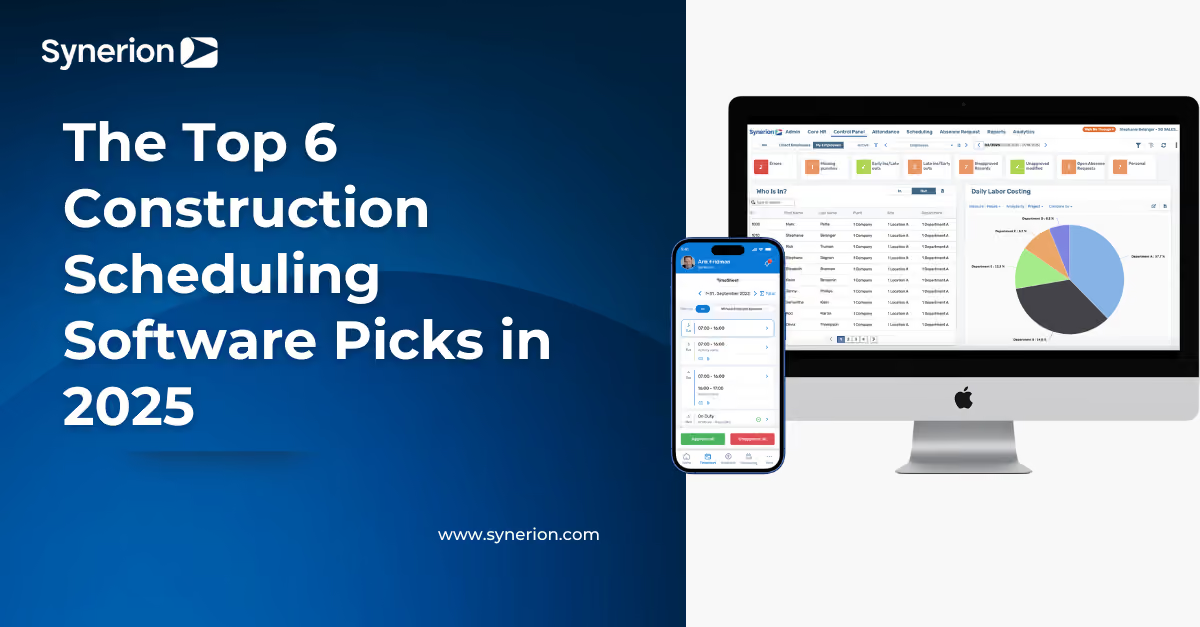
The Top 6 Construction Scheduling Software Picks in 2025

Imagine showing up to a job site only to find the crew missing, the materials late, and the project already falling behind. In construction, a single scheduling mistake can ripple through the entire project and cost you time, money, and trust.
That pressure is driving adoption of construction scheduling tools; the global construction software market, valued at roughly $1.7 billion in 2023, is expected to nearly triple to over $4.7 billion by 2033 as contractors seek smarter, more efficient ways to stay on track.
Let's take a look at our top construction scheduling software picks for 2025.
Main Takeaways:
- Construction scheduling software helps contractors replace paper schedules and spreadsheets with digital tools that improve productivity, control labor costs, and keep projects on track
- The best platforms support complex crew rotations, track time and labor costs, manage tasks and dependencies, and provide mobile access for field teams
- Leading solutions in 2025 include Synerion, Oracle, Procore, Autodesk Build, Buildertrend, and Fieldwire, each with unique strengths for different project types and company sizes
- Choosing the right platform involves assessing scheduling challenges, team technical comfort, mobile needs, integration capabilities, and total cost of ownership
- Synerion stands out for its flexibility, in-house implementation, and ability to adapt to the unique workflows of construction companies while keeping costs manageable
What Is Construction Scheduling Software?

Construction scheduling software is a digital tool that helps builders and contractors plan, track, and manage project timelines, crew assignments, and resource allocation. It replaces paper schedules and spreadsheets with automated systems designed specifically for construction workflows.
Industry research shows that construction companies using digital scheduling and project management solutions, rather than traditional methods, see productivity gains of 14–15% and cost reductions of 4–6%. These measurable improvements highlight why many firms are making the switch.
Unlike general project management tools, construction scheduling programs handle industry-specific needs like shift rotations, labor costing, and compliance tracking. They give you real-time visibility into project progress and help prevent costly delays.
What Key Features Should Construction Teams Look For?

The right construction scheduling software should make scheduling simpler, not more complicated. Focus on features that directly impact productivity, compliance, and cost control, including:
1. Complex Shift and Crew Rotation Support
The best solutions can manage rotating crews, multi-site assignments, and union-specific rules without confusion. This keeps schedules accurate, ensures compliance with labor laws, and prevents costly violations.
2. Time & Labor Cost Tracking
Accurate time tracking, especially with mobile punch-in and GPS/geofencing, prevents time theft, ensures crews are on-site, and feeds directly into payroll. When linked with labor costing tools, you can break down expenses by job, task, or site to spot budget issues before they escalate.
| Build Schedules That Match Real-World Job Sites |
|---|
| Handle rotating crews, multi-site projects, and last-minute changes without the spreadsheet chaos. See how Synerion's scheduling tools keep field teams aligned and projects on track. |
| Explore Employee Scheduling |
3. Task Management & Dependencies
Construction scheduling tools should let you break projects into smaller tasks with clear deadlines to improve coordination and accountability. Visual timelines and task dependencies show how delays in one area can impact the overall schedule, helping you adjust before problems spread.
4. Resource Management
Contractor scheduling software should help you manage both labor and assets, including equipment and materials. This prevents double-booking, reduces idle time for expensive machinery, and helps optimize asset use across multiple projects.
5. Collaboration & Document Management
The best scheduling software for contractors enables real-time updates, keeping office staff and field crews aligned. Built-in document management ensures everyone can access the latest blueprints, permits, and safety checklists, especially important for mobile teams.
6. Reporting and Analytics
Look for construction management scheduling software with customizable dashboards and reports. These give you quick insights into project progress, labor costs, and resource utilization. These tools make it easier to spot trends, identify your most efficient teams, and make data-driven decisions quickly.
7. User Experience & Mobile Access
Adoption depends on ease of use. Choose a platform with a clean, intuitive interface, especially on mobile, that works offline and syncs automatically when back online.
8. Integration Capabilities
The right software integrates seamlessly with payroll, accounting, and project management tools, eliminating duplicate data entry and ensuring consistent, accurate information across systems.
Top 6 Construction Scheduling Software Picks in 2025

1. Synerion
Synerion excels at handling complex shift patterns, multi-site scheduling, and compliance rules for construction teams of all sizes. The system offers detailed labor costing and robust time tracking options, accessible from anywhere your crews work.
Key Features:
- Automated scheduling for rotating crews and multi-site assignments
- Task-level labor costing and job tracking
- Mobile and biometric time capture with GPS/geofencing
- Real-time alerts for missed punches, overtime, or compliance risks
- Integrations with 100+ payroll and ERP systems
Pros:
- Highly flexible scheduling engine
- Strong compliance and labor law support
- In-house implementation and support
- Affordable and scalable for small businesses through large enterprises
Cons:
- Advanced customization may require additional setup time
Pricing: Low to mid-range
| Ready to Eliminate Scheduling Headaches? |
|---|
| See how the right scheduling software can cut down on last-minute changes, keep every site running smoothly, and give you back hours each week. |
| Request a Demo |
2. Oracle
Oracle's construction management software is designed for large-scale infrastructure and government projects, offering deep functionality for compliance, documentation, and project oversight.
Key Features:
- Advanced compliance tracking and audit trails
- Complex multi-phase scheduling
- Detailed project documentation controls
- Real-time reporting for large project portfolios
Pros:
- Extremely robust feature set for enterprise-scale projects
- Excellent compliance and documentation management
Cons:
- Steep learning curve
- High cost and longer onboarding time
Pricing: High range
3. Procore
Procore is a widely used all-in-one construction management platform with strong collaboration and document management tools. Its scheduling features work well for general contractors but are less specialized for complex labor tracking.
Key Features:
- Cloud-based platform with mobile access
- Built-in communication tools for team collaboration
- RFI, submittal, and document management
- Integration with popular accounting and project management tools
Pros:
- Easy to use, quick adoption
- Strong collaboration and documentation features
Cons:
- Limited customization for complex shift scheduling
- Pricing can escalate with add-on modules
Pricing: Mid to high range
4. Autodesk Build
Part of Autodesk's construction cloud, Autodesk Build shines in design and document management, making it a natural choice for firms already using Autodesk's design tools. Workforce scheduling is more basic compared to dedicated scheduling platforms.
Key Features:
- Seamless integration with design files and blueprint updates
- Field collaboration tools with photo and document sharing
- Task management for project tracking
- Mobile app for field access
Pros:
- Excellent for design-heavy workflows
- Strong document version control
Cons:
- Limited labor scheduling capabilities
- Can lag in low-connectivity environments
Pricing: Mid to high range
5. Buildertrend
Buildertrend is a cloud-based construction management software geared toward residential builders, remodelers, and specialty contractors. It offers a mix of scheduling, project management, and customer management features.
Key Features:
- Gantt chart and calendar scheduling tools
- Customer portal with communication and approvals
- Integrated time clock and job costing
- Mobile app for on-site access
Pros:
- User-friendly and visually clear scheduling interface
- Strong client communication features
- Affordable for small to mid-sized firms
Cons:
- Less suited for highly complex, multi-site projects
- Limited advanced compliance and union rule automation
Pricing: Low to mid-range
6. Fieldwire
Fieldwire is a construction field management app designed for foremen, superintendents, and project managers. It blends scheduling, task management, and field reporting in a mobile-first platform.
Key Features:
- Task scheduling with priority setting and deadlines
- Real-time plan viewing and markups in the field
- Daily reports and punch list tracking
- Offline mode for low-connectivity sites
Pros:
- Strong mobile-first design
- Great for field team coordination
- Easy to deploy and use
Cons:
- Limited advanced scheduling and labor cost tracking
- Better suited as a complementary tool rather than a full scheduling solution
Pricing: Low to mid-range
| Software | Best For | Standout Feature | Price Range |
|---|---|---|---|
| Synerion | Complex crew management | Task-level labor costing | Low to mid |
| Oracle | Large infrastructure projects | Compliance tracking | High |
| Procore | General contractors | Team collaboration | Mid to high |
| Autodesk Build | Design-heavy projects | Blueprint integration | Mid to high |
| Buildertrend | Residential & commercial contractors | Client communication portal | Low to mid |
| Fieldwire | On-site coordination | Mobile-first task management | Low to mid |
How to Choose the Right Construction Scheduling Solution

Selecting the right construction scheduling software requires balancing your operational needs, team capabilities, and long-term ROI. The right choice should make scheduling easier, not more complicated, while integrating smoothly with the systems you already use.
Follow these steps to guide your decision:
- Identify your scheduling challenges: Determine whether you're managing multiple crews, complex union rules, or specialized trade coordination so you can match software to your exact needs.
- Evaluate team technical comfort: Choose a solution that your field supervisors and staff will find intuitive, minimizing the learning curve and adoption issues.
- Prioritize mobile functionality: Ensure the platform works seamlessly on smartphones and tablets, including offline access in areas with poor connectivity.
- Check integration capabilities: Look for compatibility with your accounting, payroll, and project management tools to eliminate duplicate data entry and ensure accuracy.
- Consider total cost of ownership: Compare not just the purchase price but also the efficiency gains, automation potential, and reduced need for manual work over time.
Why Construction Teams Choose Synerion
Construction companies choose Synerion for its ability to handle complex scheduling scenarios with the flexibility to adapt to each company's unique workflows, without the high costs often associated with enterprise systems. Instead of forcing you to adjust your operations to fit the software, Synerion configures its tools to work the way your team already operates.
Its in-house implementation team ensures faster setup, smoother onboarding, and consistent support from experts who know the system inside and out, no third-party consultants, no missed details.
Synerion's construction scheduling features have been shaped by real customer feedback, resulting in a platform that addresses the everyday challenges contractors face, from managing multi-site crews to tracking labor costs with precision.
Transform Your Crew Scheduling with Synerion
Managing crews across multiple sites, juggling last-minute changes, and keeping projects on schedule shouldn't be a daily struggle. The right scheduling software can take those headaches off your plate, freeing you to focus on delivering projects on time and on budget.
If you're ready to reduce scheduling conflicts and gain better control over your workforce, request a demo and see how quickly the right tools can make a difference.
FAQs About Construction Scheduling Software
What is the best project scheduling software for construction?
The best construction project scheduling software depends on your specific needs, but Synerion offers an excellent balance of powerful features, ease of use, and affordability for most construction companies.
Which is the best construction software for small contractors?
Small contractors often find Synerion's Agile Suite ideal because it offers essential scheduling and time tracking features in an affordable, quick-to-implement package without sacrificing quality.
What software do construction workers use for daily scheduling?
Construction workers typically use mobile-friendly platforms like Synerion that offer simple clock-in/out features, schedule viewing, and task management directly from smartphones or tablets at the job site.