
Best Employee Scheduling Software for 2026: 10 Compared

Your managers rebuild the schedule every week because the tool can't enforce your actual rules. Payroll closes with overtime exceptions that should have been caught before the shift was assigned. The software logged the hours. It just didn't know what to do with them.
Most reviews of the best employee scheduling software cover the simplest version of the problem: drag-and-drop shifts, hourly teams, one location. Organizations running union agreements, wage grids, shift premiums, or overtime equalization rules don't appear in those comparisons, because the tools being reviewed can't handle them.
This guide covers the full range, from free employee scheduling apps to enterprise rules engines. Our top pick is Synerion for organizations of 100 or more employees with complex pay rules, and we'll show you exactly why, alongside the nine tools that fit better when your needs are simpler. You'll see which tools handle basic shift coverage, which ones enforce union rules and wage grids without manual workarounds, and how to match a tool to your actual rule complexity so payroll corrections stop being a recurring cost.
Main Takeaways
- Synerion is the top pick for organizations of 100+ employees with complex pay rules. It's the only tool on this list that enforces union seniority, wage grids, step rates, and shift differentials at the point of assignment, backed by 40+ years of configuration work and a 4.7/5 Capterra rating.
- Union seniority, overtime equalization, and shift premiums require a rules engine. Drag-and-drop tools pass these to payroll as manual adjustments.
- Payroll integration depth matters more than compatibility logos. Bidirectional sync, field mapping for premiums and job codes, and real-time transfer determine whether corrections still happen after close.
- Team size is the first filter. Under 25 employees, free-tier tools cover core scheduling. Above 100 with complex rules, you need a rules engine.
- Per-location pricing beats per-user pricing once your average location exceeds roughly 13 employees, but per-location tools cap headcount per tier, and at enterprise scale the comparison shifts to total cost of ownership.
- Free plans from Sling (30 users), ZoomShift (20 users), 7shifts (15 employees), Homebase (10 employees), and Connecteam (10 users) each hit a hard headcount ceiling, and none include overtime cost controls or compliance rules.
Why Trust This Review
Synerion has operated in workforce management since 1983. We serve customers that scale to 30,000 employees, integrate with more than 100 payroll, ERP, and HR systems, and hold a 4.7/5 rating on Capterra across 100 verified reviews, a 4.5/5 on G2, and a 4.7/5 on Software Advice. ADP refers its most complex time and attendance deals to us when its own module can't meet the requirement. That's a third-party proof point for the depth we handle daily.
We included Synerion in this comparison and applied the same criteria to it as to every other tool, including a stated limitation. Synerion is not the right choice for a 15-person team, and we say so below. This guide covers tools for teams of five to 5,000+, from free apps to enterprise rules engines.
How We Evaluated Each Tool
We considered 18 scheduling tools and narrowed to the 10 that cover the range of use cases buyers actually have. Each was scored on five criteria:
- Scheduling depth: auto-scheduling, templates, availability handling, and whether the tool blocks rule conflicts or only warns about them
- Payroll integration quality: bidirectional sync, field mapping, and real-time versus batch transfer, not just the partner logo list
- Compliance capability: from basic overtime alerts up to enforcement of union rules, wage grids, and predictive scheduling laws
- Mobile experience: whether employees can view shifts, request swaps, and submit time off without manager involvement
- Pricing transparency: how the pricing model scales with headcount and what costs sit outside the sticker price
What Is Employee Scheduling Software?
Employee scheduling software is a system that builds, publishes, and enforces work schedules for hourly and shift-based teams. Managers assign shifts by role, location, and availability; employees view schedules, request time off, and swap shifts from a mobile app; and scheduled hours flow into time tracking and payroll.
The category splits into two tiers. Scheduling apps handle shift coverage, availability, and communication for teams with straightforward rules. Workforce management rules engines add enforcement: they apply union agreements, wage grids, overtime rules, and labor laws at the moment a shift is assigned, so the schedule is compliant before it's published rather than corrected after payroll closes. Most of the confusion in this market comes from comparing tools across those two tiers as if they solved the same problem. If your needs go beyond scheduling into time tracking, absence management, and labor costing, our comparison of the best workforce management software for 2026 covers the full-platform tier.
Employee Scheduling Software at a Glance: 2026 Comparison Table

The "Best For" column reflects where each tool outperforms alternatives. Pricing model matters because per-user and per-location pricing diverge sharply at scale. The Compliance Depth column separates basic overtime alerts from rules-engine enforcement of union rules, wage grids, and predictive scheduling laws. Prices are approximate, reflect annual billing where vendors offer it, and change often.
The table gives you a fast filter, but the "Best For" label is only a starting point. The detailed reviews below explain why each tool earns its label and where it falls short.
The 10 Best Employee Scheduling Software Tools for 2026

Each review opens with the use case where the tool fits best, followed by key features, pricing, trial, ratings, integrations, one clear strength, and one clear limitation. The order runs from the most rule complexity a tool can handle down to the simplest, starting with our top pick.
1. Synerion: Top Pick for Complex Pay Rules and Enterprise Compliance
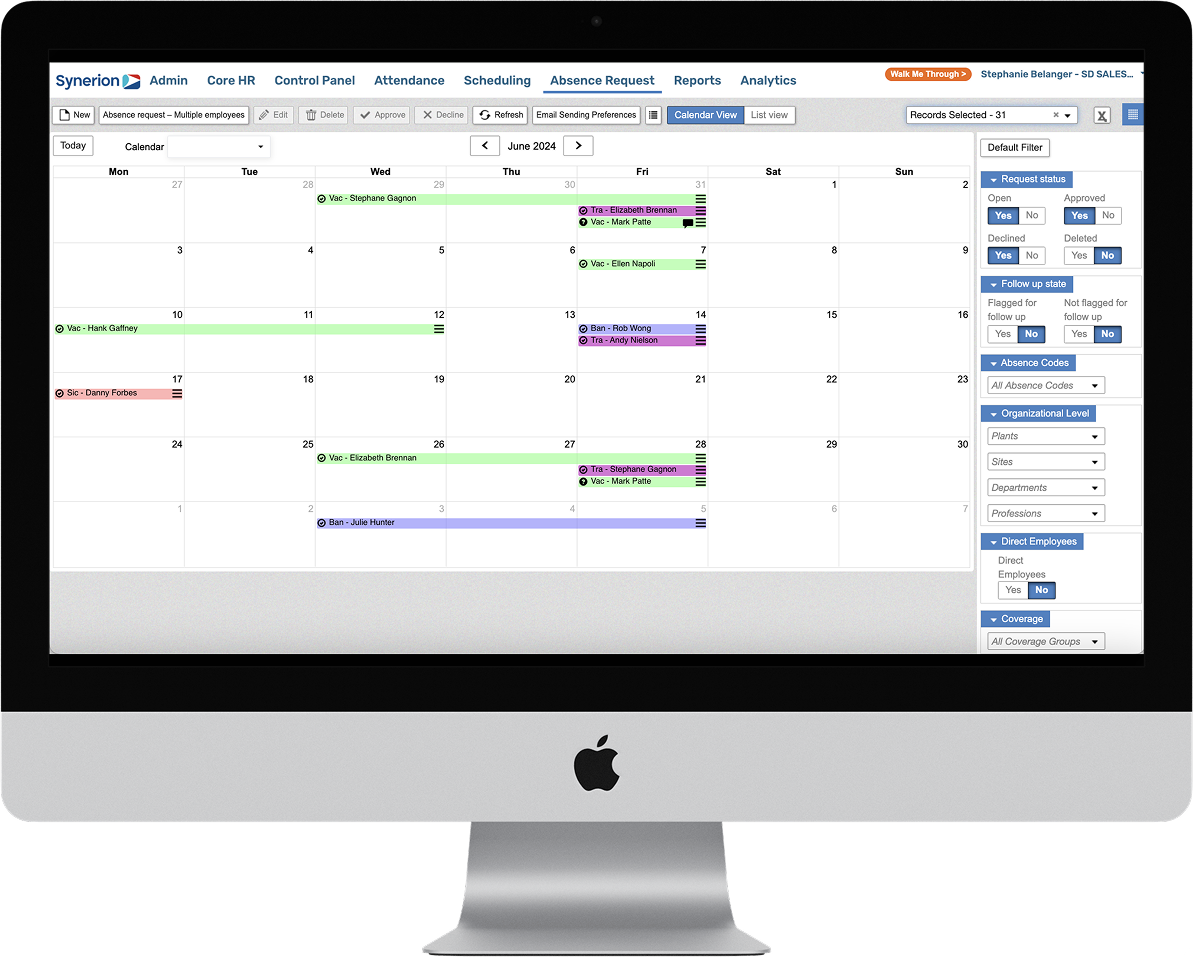
Best for organizations of 100+ employees with union agreements, wage grids, shift premiums, 9/80 schedules, or overtime equalization rules. Basic tools handle these through manual workarounds. Synerion's rules engine enforces collective agreement scheduling, seniority-based shift assignment, wage grids, and step rates at the point of assignment, so no custom fields or spreadsheet supplements fill the gaps. One customer runs more than 1,000 unionized employees across three locations on it, with statutory holiday rules, accruals, and mid-pay-period rate increases automated end to end.
Key features:
- Union seniority rules and collective agreement scheduling
- Wage grids and step rates
- Shift differentials, holiday pay, and meal and break rules
- Overtime calculations and equalization
- Shift offers ranked by seniority (hire date or lifetime hours), hours already scheduled, and employee type
- Advanced-Intelligence Scheduler with multi-location rule enforcement from one configuration
- Labor allocation and costing with ERP and job integration
Pricing: Three tiers, all quoted on request and licensed per user with add-on modules. Agile and Agile+ cover time and attendance with employee-based scheduling for simpler operations. Enterprise, the tier reviewed here, adds the Advanced-Intelligence Scheduler, ERP and job integration, custom payroll and employee integrations, SSO, and third-party analytics connectivity.
Trial: Demo. Implementation runs 12 weeks, including configuration of complex pay rules and payroll integration.
Ratings: Capterra 4.7/5 (100 reviews); G2 4.3/5 (23 reviews).
Integrations: 100+ payroll, ERP, and HR systems including ADP, SAP, Workday, Dayforce, Sage, BambooHR, and QuickBooks. Custom payroll layouts are built when a system isn't on the list.
Strength: The specialist depth. Generalist suites and scheduling apps treat union rules, wage grids, and premiums as exceptions. Synerion is built around them, which is why all-in-one vendors refer those deals here.
Limitation: The Enterprise tier is not built for teams under 100 employees, and there's no free plan or self-serve signup on any tier. If your scheduling problem is simple, several tools below will get you live faster and cheaper.
2. UKG Shiftboard: Best for High-Volume, 24/7 Operations
Best for large-scale operations running 24/7 shifts across multiple sites. Manufacturing, energy, and healthcare are UKG Shiftboard's core verticals. It handles complex rotation patterns, fatigue management rules, and high-volume shift bidding. It's built for environments where a missed rotation can shut down a production line.
Key features:
- Rotation management
- Shift bidding
- Fatigue-rule enforcement
- Credential tracking
- Demand-based staffing
- Multi-site management
Pricing: Custom enterprise pricing.
Trial: Demo.
Ratings: Capterra 4.4/5 (237 reviews, listed as ScheduleFlex).
Integrations: ADP, SAP, Oracle, Workday.
Strength: Rotation and fatigue management for continuous operations. If your risk is a crew working past safe hours, this is the deepest tool for it.
Limitation: Enterprise-only focus with long setup timelines, and pay-rule depth (wage grids, premiums, equalization) is not its center of gravity. Reviewers running collective agreements report difficulty configuring different overtime rules for different groups. Small businesses won't find a fit here.
3. Humanity (TCP): Best for Compliance-Aware Mid-Market Teams
Best for mid-market organizations that need scheduling with built-in compliance rules and demand forecasting. Humanity, now part of TCP Software, offers auto-scheduling with compliance guardrails such as rest-between-shifts enforcement and overtime alerts. The compliance rule library gives mid-market teams protection that most tools in this price range skip.
Key features:
- Demand-based auto-scheduling
- Compliance rule library
- Shift trading
- Leave management
- Mobile app
- Overtime tracking
Pricing: Custom pricing (typically mid-market range).
Trial: Free trial on request, no credit card required; length not published.
Ratings: Capterra 4.3/5 (300+ reviews); G2 4.3/5 (1,000+ reviews).
Integrations: ADP, SAP, BambooHR, Workday, UKG.
Strength: A pre-built rule library covering predictive scheduling laws, which most mid-market tools don't offer.
Limitation: Pricing is opaque, smaller teams may find it overbuilt, and union-specific logic like seniority ranking and wage grids is not where it competes. Reviewers report that custom premium calculations require manual entry and that it strains at 400+ employees.
4. Deputy: Best for Multi-Location Shift Management
Best for multi-location businesses that need demand-based scheduling and labor forecasting. Deputy uses demand signals like sales, foot traffic, and reservations to recommend staffing levels across locations. That reduces both overstaffing and coverage gaps, which is where multi-site operators bleed money.
Key features:
- AI-powered demand forecasting
- Auto-scheduling
- Shift swaps
- Fair Workweek compliance tools
- Certification and license checks before assignment
- Multi-location dashboards
Pricing: Lite from ~$5/user/month with a $30 monthly minimum; Core (~$6.50) adds forecasting and labor budgeting; Pro (~$9) adds SSO and custom access levels.
Trial: 30 days.
Ratings: Capterra 4.6/5 (700+ reviews); G2 4.6/5 (600+ reviews).
Integrations: ADP, Gusto, QuickBooks, Xero, BambooHR, major POS systems.
Strength: The strongest predictive scheduling law coverage among the per-user tools, with jurisdiction-specific rules for places like California and New York.
Limitation: Per-user pricing gets expensive at scale. At 500 employees, the entry tier alone runs roughly $2,500/month. Testing by other reviewers found it can allow overlapping shifts without a warning, so double-check generated schedules before publishing.
5. Connecteam: Best for Deskless and Field Teams
Best for deskless and field teams that want scheduling plus communication in one app. Connecteam bundles scheduling with task management, digital forms, and team chat, which reduces app sprawl for distributed crews that never sit at a desk. GPS-stamped clock-ins verify workers are where they're supposed to be.
Key features:
- GPS-stamped time clock
- Geofencing
- Shift scheduling with conflict flags before publishing
- In-app communication
- Digital forms and checklists
- Task management
Pricing: Free plan (up to 10 users); paid plans from ~$29/month for up to 30 users billed annually ($35 monthly).
Trial: 14 days.
Ratings: Capterra 4.6/5 (5,300+ reviews); G2 4.6/5 (3,500+ reviews).
Integrations: QuickBooks, Gusto, Xero, Paychex, RUN Powered by ADP.
Strength: Everything a frontline crew needs lives in one mobile app, and the flat-rate pricing for 30 users is the cheapest paid entry on this list for a team that size.
Limitation: Payroll integrations are thinner than Deputy or Homebase, and the free tier caps at 10 users.
6. When I Work: Best for Shift-Swap-Heavy Teams
Best for teams where shift swaps and employee self-service drive daily scheduling. When I Work's mobile app is built around employee-initiated swaps, availability updates, and time-off requests. That reduces manager involvement on routine changes, which matters most when your team trades shifts multiple times a week.
Key features:
- One-tap shift swaps and open shift board
- Auto-scheduling
- Availability management
- Team messaging
- Labor cost forecasting
- Time-off requests
Pricing: From ~$2.50/user/month for a single location; multi-location scheduling raises the rate to ~$5/user/month.
Trial: 14 days.
Ratings: Capterra 4.5/5 (1,300 reviews); G2 4.4/5 (400+ reviews)
Integrations: ADP, QuickBooks, Gusto, Square, Paychex.
Strength: One of the highest-rated employee-side mobile apps in the category, which matters because adoption is the failure point for most deployments.
Limitation: No free plan, compliance features stop at basic overtime alerts, and the per-user rate doubles once you add locations.
7. 7shifts: Best for Restaurants and Food Service
Best for restaurants and food-service operations that need labor forecasting tied to sales. 7shifts connects scheduling to POS sales data so managers build shifts against projected demand. Labor cost tracking runs at the shift level, which gives operators visibility into whether tonight's staffing matches tonight's revenue.
Key features:
- POS-integrated labor forecasting
- Tip pooling management
- Shift pool for swaps and open shifts
- Availability and time-off management
- Labor cost tracking by shift
- Team communication tools
Pricing: Free Comp plan (1 location, up to 15 employees, scheduling and announcements only); Essentials from $39.99/month per location billed annually ($44.99 monthly), capped at 30 employees; Pro $79.99 ($89.99 monthly), capped at 60; Premium $134.99 ($149.99 monthly) for unlimited employees, plus $6 per employee if you run payroll through 7shifts.
Trial: 14 days.
Ratings: Capterra 4.7/5 (1,200+ reviews); G2 4.5/5 (100+ reviews).
Integrations: Toast, Square, Lightspeed, Shopify POS, Gusto, ADP.
Strength: Sales-driven labor targets visible while you build the schedule, which no general-purpose tool matches for restaurants.
Limitation: Purpose-built for food service. Outside hospitality, the POS-centric feature set won't apply. Employee caps on every tier except Premium mean a large single location pays the top rate, and time tracking runs through a separate companion app.
8. Homebase: Best Employee Scheduling Software for Small Business (Single Location)
Best for single-location small businesses with hourly teams. Homebase gives a solo-location owner drag-and-drop scheduling, a basic time clock, and a free plan covering one location. For a small business that needs employee scheduling software at a single site, this is the simplest entry point.
Key features:
- Drag-and-drop scheduling
- Built-in time clock with POS clock-in options
- Pre-publish error flags (leave conflicts, availability, consecutive days)
- Team messaging
- Hiring tools
- Time-off request management
Pricing: Free plan (1 location, up to 10 employees); Essentials from ~$24/month per location billed annually ($30 monthly).
Trial: 14 days.
Ratings: Capterra 4.6/5 (1,100+ reviews); G2 4.6/5 (500+ reviews).
Integrations: QuickBooks, Gusto, ADP, Square, Clover POS, and built-in payroll as a paid add-on.
Strength: The most complete free plan for a single site, plus the option to add payroll later without switching tools.
Limitation: Compliance features stop at overtime alerts, there's no union rule support, and per-location pricing multiplies fast for multi-site operators.
9. Sling: Best Free Employee Scheduling App for Small Teams
Best for teams under 30 that want a free employee scheduling app with core scheduling depth. Sling (now owned by Toast) offers a free plan covering up to 30 users with shift scheduling, availability, time-off requests, and messaging, the highest free-plan user cap on this list. For a small business that needs to get off group chats without spending anything, this is the fastest path, and for a Toast POS restaurant it's the native option.
Key features:
- Shift scheduling with clopening warnings
- Shift swaps and open shifts
- Time-off requests
- Task management
- Team messaging
- Labor cost visibility (paid plans)
Pricing: Free plan (up to 30 users); Premium from ~$1.70/user/month billed annually ($2 monthly); Business from ~$3.40/user/month ($4 monthly). Sling is also sold through Toast as Sling Lite and Sling Pro, billed on the Toast account.
Trial: 15 days.
Ratings: Capterra 4.6/5 (200+ reviews); G2 4.4/5 (80+ reviews).
Integrations: Limited native integrations; connects to some POS and payroll systems via API.
Strength: The most generous free tier for pure scheduling and communication.
Limitation: The free plan has no time tracking, no overtime cost controls, and no advanced reporting. Conflict warnings don't block publishing, and the integration ecosystem is thinner than most competitors.
10. ZoomShift: Best for Small Teams Wanting Simple Visual Scheduling
Best for small teams (under 50 employees) that want a clean, visual schedule builder. ZoomShift keeps the interface stripped down: a drag-and-drop calendar, shift templates, real-time labor cost tracking, and a basic time clock. If your scheduling problem is simple, the tool stays out of your way.
Key features:
- Drag-and-drop calendar
- Shift templates
- Real-time labor cost tracking
- PTO tracking
- Mobile app
- Basic reporting
Pricing: Free plan (up to 20 users); Starter ~$2/user/month billed annually ($2.50 monthly); Premium ~$4 ($5 monthly).
Trial: 14 days.
Ratings: Capterra 4.5/5 (100+ reviews); G2 4.8/5 (40+ reviews).
Integrations: QuickBooks Online, Xero, Square POS.
Strength: Labor cost projected in real time as you build the schedule, on one of the simplest interfaces in the category.
Limitation: Minimal compliance features, overtime alerts only on the Premium tier, and no support for complex scheduling rules.
Each tool earns its label in a specific context. The right choice depends on your team size, industry, pay-rule complexity, and which payroll system your data needs to flow into.
Best Free Employee Scheduling Apps Compared

Five tools on this list offer a free plan, and each one has a specific ceiling. Sling covers up to 30 users but has no time tracking or overtime cost controls. ZoomShift covers up to 20 users with basic scheduling and communication. 7shifts offers a free plan for one location and up to 15 employees, but it's scheduling and announcements only, with no time clock, and its restaurant-specific design limits its audience. Homebase covers one location and up to 10 employees with a basic time clock included. Connecteam gives up to 10 users the core feature set, including GPS tracking. Knowing where each ceiling sits before you commit saves a forced migration later.
The triggers that push teams off free plans are predictable. Adding a second location forces you onto Homebase's or 7shifts' paid tier. Crossing the user cap ends the free option on Connecteam, Sling, or ZoomShift. Needing overtime tracking or compliance features exposes every free plan's gaps. These aren't edge cases. They're the normal growth path for any team that sticks with a free employee scheduling app beyond a few months.
Synerion doesn't appear here on purpose. There's no free tier because every deployment starts with configuring your rules. If you're evaluating free tools, you're not yet in Synerion's range, and that's fine.
Best Employee Scheduling Software for Complex Pay Rules and Enterprise Compliance
If your scheduling rules include union seniority, wage grids, 9/80 compressed workweeks, shift premiums, or overtime equalization, you need a rules engine. A drag-and-drop calendar won't calculate total overtime across a pay period. It can't rank eligible employees by seniority for shift offers. And it won't apply a different rate to the same role based on shift, tenure, or location. Most tools on this list handle these scenarios through manual workarounds, or don't handle them at all.
What Complex Scheduling Rules Actually Look Like
The rule categories that separate enterprise scheduling from small-business scheduling are specific and measurable:
- Seniority-based shift assignment: union collective bargaining agreements dictate who gets first pick of open shifts.
- Wage grids and step rates: pay rates vary by role, shift, and tenure, and the schedule has to apply the right rate automatically, including mid-pay-period increases.
- Overtime equalization: hours must be spread evenly across eligible employees to prevent grievance exposure.
- 9/80 compressed workweeks: the schedule shifts the FLSA overtime calculation window, so a standard 40-hour week calculation produces the wrong answer.
- Predictive scheduling laws: advance posting, right-to-rest periods, and predictability pay requirements vary by city and state.
These aren't niche scenarios. Union membership runs at 18.7% in utilities and 15.8% in transportation and warehousing, according to the U.S. Bureau of Labor Statistics (2024 data). In sectors with union density at that level, complex scheduling rules are the norm, not the exception.
Why Basic Scheduling Apps Break Down
Each of those rules requires the scheduling tool to compute something a calendar can't. Overtime equalization means tracking total OT hours across a pay period and rebalancing assignments on the fly. Wage grids mean applying the right rate to the same role based on shift, tenure, or location. Seniority-based assignment means ranking eligible employees and offering shifts in order. Drag-and-drop tools pass the first two to payroll as manual steps, and no free-tier tool supports the third.
The cost of these gaps compounds. For US manufacturers, frontline labor challenges including attrition, vacancies, and coverage gaps cost roughly $17,000 to $30,000 per active employee, according to McKinsey (February 2025). A scheduling tool that can't enforce the rules driving those gaps isn't solving the problem.
Why Synerion Is the Top Pick for Complex-Rule Employee Scheduling
Generalist suites and small-business apps treat these rules as exceptions. Synerion is built around them. Its rules engine enforces collective agreement scheduling, seniority-based shift assignment, wage grids, and step rates at the point of assignment, backed by 40+ years of configuration work and integrations with 100+ payroll and ERP systems. When an all-in-one vendor's time module can't meet a requirement like this, the deal gets referred to a specialist. That's the role Synerion plays.
For a 15-person retail team, Homebase or Sling is the better fit. For a 500-person manufacturer running a union agreement and overtime equalization rules, Synerion is the tool built for that problem.
How to Choose Employee Scheduling Software

Choosing employee scheduling software is an elimination exercise. Start with the five criteria that actually disqualify tools: team size, industry requirements, payroll integration depth, mobile adoption, and compliance exposure. Comparing feature lists across 10 tools wastes time. Rule out tools that can't handle your payroll system or compliance needs, and you're left with two or three worth demoing. Pricing gets its own section below, because the per-user versus per-location decision depends on your headcount.
Start with Team Size and Industry
Team size is the first filter. Under 25 employees, free-tier tools like Sling, Homebase, and Connecteam cover core scheduling. Between 25 and 100, you need paid plans with overtime tracking and multi-location support, which is where Deputy, When I Work, and Humanity operate. Above 100 employees with complex rules, you need a rules engine. Synerion is the pick for pay-rule complexity; UKG Shiftboard is the pick for rotation and fatigue management.
Industry adds a second filter. Manufacturing needs union rules, equalization, and labor costing against job codes (Synerion). Restaurants need POS-integrated labor forecasting (7shifts). Field teams need GPS and geofencing (Connecteam). The tool that wins in one vertical can be the wrong choice in another.
Evaluate Payroll Integration Depth, Not Just Compatibility
A logo on a partner page doesn't mean the integration works the way you need. Three things determine whether it does. Bidirectional sync means schedule changes flow to payroll and rate changes flow back. Data field mapping determines whether the integration carries premiums, job codes, and department allocations, or just hours. Real-time transfer versus batch transfer matters because batch creates a window where payroll data is stale.
Shallow integrations create the exact payroll corrections scheduling software is supposed to end. If your payroll team manually adjusts hours, premiums, or department allocations after every close, the integration isn't doing its job. The handoff between scheduled hours and tracked hours is where most of those errors originate, which is why the time and attendance system you pair with your scheduler matters as much as the scheduler itself.
Check the Employee Scheduling App Before You Buy
Mobile app quality is the adoption gate. A UKG study found that 49% of employers now use scheduling tools, yet 48% of frontline workers still find it hard to change shifts. The tools are deployed. They're just not working for the people who need them most.
Before you buy, check App Store and Google Play ratings for the tools on your shortlist, then test the employee-side experience yourself. Can workers view shifts, request swaps, and submit time-off requests without manager involvement? Push notification reliability matters too, because missed notifications lead to missed shifts.
Assess Compliance Features Against Your Actual Exposure
Compliance capability falls into three tiers. Most free and low-cost tools offer basic overtime alerts. Deputy and Humanity support predictive scheduling laws with advance-posting rules and right-to-rest enforcement. Synerion and UKG Shiftboard provide rules-engine enforcement: union CBAs, wage grids, and overtime rules for Synerion; rotation, fatigue, and credential rules for UKG Shiftboard.
The financial exposure from compliance gaps is real. New York City announced a $38.9 million Fair Workweek settlement with Starbucks in December 2025 after finding more than 500,000 violations, and Seattle recovered $3.89 million in Secure Scheduling remedies in 2024. Match your compliance tier to your actual local law exposure, not to the cheapest option on the list.
Run the Same Test in Every Trial
Feature lists don't show you how a tool behaves when something goes wrong. Before you decide, run one identical scenario through every tool on your shortlist:
- Build one real week. Load a small group of employees with actual roles, locations, availability, and pay rules, then build the schedule the fastest way the tool allows.
- Break a rule on purpose. Assign an overlapping shift, schedule someone with pending time off, or push an employee past the overtime threshold. Note whether the tool blocks it, warns you, or lets you publish anyway.
- Change a published shift. Confirm what every affected employee actually receives on mobile, web, and email.
- Follow the hours to payroll. Clock in, edit a timesheet, approve it, and check whether premiums, job codes, and departments arrive in payroll intact.
- Ask for the rule you care about most. If you run a union agreement or wage grid, ask the vendor to configure one real clause during the trial or demo. The answer tells you which tier the tool belongs in.
How Much Does Employee Scheduling Software Cost?
The per-user tools in the table above run from about $1.70 to $5 per user per month, and the per-location tools run about $24 to $40 per location per month. Which model is cheaper depends on your team size, and the crossover point is lower than most buyers expect.
Per-User vs. Per-Location Pricing: Worked Examples
The math shifts at each team size:
- 20 employees, 1 location: Per-user at $3/user/month = $60/month. Per-location at $40/location/month = $40/month. Per-location wins.
- 100 employees, 3 locations: Per-user at $3/user/month = $300/month. Per-location at $40/location/month = $120/month. Per-location wins by a wide margin.
- 500 employees, 10 locations: Per-user at $3/user/month = $1,500/month. Per-location at $40/location/month = $400/month. Per-location still wins on sticker price. But enterprise tools like Synerion and UKG Shiftboard use custom pricing that includes configuration, implementation, and support, so the comparison shifts to total cost of ownership.
Per-location tools also cap headcount per tier. 7shifts limits its $39.99 plan to 30 employees per location, so a large site pays the $134.99 rate regardless. Check the cap before assuming the entry price applies to you.
The breakeven point: per-location pricing becomes cheaper once your average location has more than roughly 13 employees (at $40/location vs. $3/user). Most retail and hospitality locations exceed that threshold.
Costs That Don't Appear on the Pricing Page
Four costs sit outside the sticker price and matter just as much:
- Setup and configuration fees for enterprise tools
- Per-module add-ons for time clock, payroll, or PTO features
- Overage charges when you exceed free-plan caps or minimum spends
- Payroll corrections from shallow integrations
The last one is the expensive one. A tool that costs $2 per user but leaves your payroll team correcting premiums every pay period costs more than a tool that gets the data right the first time. The sticker price is the least useful number on a scheduling software pricing page.
Employee Scheduling Software by Industry: What Each Vertical Actually Needs
Industry determines which scheduling features are required and which are noise. A restaurant's labor forecasting requirement has nothing in common with a manufacturer's overtime equalization rule. Start with what your vertical demands before evaluating tools.
Manufacturing: Shift Rotation, OT Equalization, and Union Seniority
Manufacturing scheduling software must handle:
- 24/7 rotation patterns
- Overtime equalization across crews
- Union seniority rules for shift bidding
- Wage grids and step rates by classification
- Labor hours tracked against ERP job codes
- Credential tracking for regulated roles
These requirements eliminate most tools on this list. Synerion is the pick for union rules, equalization, wage grids, and labor costing against ERP job codes. UKG Shiftboard is the pick when rotation and fatigue management are the primary problem.
Retail: Seasonal Staffing, Wage Policies, and Predictive Scheduling Laws
Retail scheduling software must handle:
- High part-time ratios with variable availability
- Seasonal staffing surges during Black Friday and back-to-school
- Wage policies and collective agreements where pay varies by role, tenure, and shift
- POS integration so labor cost tracks against revenue per hour
In states like Oregon, predictive scheduling law compliance adds 14-day advance posting, right-to-rest periods, and predictability pay requirements (Oregon BOLI). Multi-state chains with collective agreements and wage grids need Synerion, which schedules by skill, department, seniority, and availability against those rules. Deputy handles multi-location operations that need demand forecasting and Fair Workweek tools. Homebase fits single-location retail.
Transportation and Long-Term Care: Round-the-Clock Coverage and Complex Pay Rules
Transportation and long-term care scheduling software must handle:
- 24/7 coverage with minimum staffing ratios
- Shift premiums for nights, weekends, and holidays
- Union seniority and overtime equalization across large hourly workforces
- Credential and certification tracking for regulated roles
These are the same rule categories as manufacturing, applied to workforces that can't leave a shift uncovered. Synerion covers the pay-rule side: premiums, equalization, and wage grids enforced at assignment. UKG Shiftboard covers rotation and credential tracking.
Hospitality: Labor Forecasting, Tip Pooling, and Fair Workweek Compliance
Restaurant and hospitality scheduling software must handle:
- Labor forecasting tied to reservation or POS data
- Tip pooling calculations
- Close-open shift restrictions (clopening)
- Fair Workweek compliance in cities like NYC and Seattle
- High turnover requiring fast onboarding to the scheduling system
7shifts is purpose-built for restaurants. Deputy covers multi-location hospitality operations. Hotel and resort operators with collective agreements fall into Synerion's range.
Field Services and Construction: GPS Tracking and Job-Site Assignment
Field services scheduling software must handle:
- GPS-stamped clock-in/out at job sites
- Geofencing to verify location
- Job-site-based assignment rather than location-based
- Travel time tracking
- Crew-based scheduling where teams move together
Connecteam fits deskless teams. Deputy handles multi-site management. ClockShark is a construction-specific alternative worth a look for job costing. Unionized contractors with trade-specific wage grids are in Synerion's range.
Signs Your Current Scheduling Process Costs More Than Software
If you spend more than two hours a week building schedules, you've likely passed the break-even point. The same is true if you field shift-swap texts or fix payroll errors caused by scheduling gaps every week. Manual scheduling already costs more than software.
Five symptoms signal the switch is overdue:
- Missed shifts are increasing. Each no-show triggers overtime for the cover, plus lost productivity for the gap.
- Overtime creep is unexplained. Without automated tracking, OT builds through scheduling gaps, not business need, and every uncontrolled hour is paid at a premium.
- Managers spend three to five hours per week on scheduling. That's desk time, not leadership.
- Payroll corrections happen every pay period. If the schedule-to-payroll handoff is broken, your payroll team is doing the scheduling tool's job after close.
- You can't prove compliance. If a labor board investigator or a union steward asks for scheduling records and you're pulling up text messages, you have an exposure problem.
Frame the switch as a cost calculation. Add up hours spent on manual scheduling, overtime paid for coverage gaps, and payroll corrections per pay period. For a small team, a paid tool pays for itself once that total passes a few hundred dollars a month. For a 500-person operation with union rules, the math is grievance exposure and recurring payroll corrections, and the software cost is a rounding error against it.
Put Your Complex Scheduling Rules to Work with Synerion
You now have a framework for choosing scheduling software based on what your operation requires. Team size, industry, rule complexity, payroll integration depth, and compliance exposure are the filters. The tools that survive your elimination process are the ones worth demoing.
If your scheduling rules include union seniority, wage grids, shift premiums, or overtime equalization, we enforce them at the point of assignment. Every location executes the same policy on its own. Payroll closes without manual corrections. And you can prove compliance when it matters, with a two-year audit trail of every schedule change.
See how Synerion handles union rules, wage grids, and overtime equalization.
FAQs About Employee Scheduling Software
What is the best employee scheduling software for large companies?
Synerion is our top pick for companies with 100 or more employees. It fits best if you have union agreements, wage grids, or overtime equalization rules. It is the only tool on this list that enforces those rules when a shift is assigned, not after the fact. It also connects to 100+ payroll and ERP systems. If your main problem is shift rotations and fatigue rules, Shiftboard is the alternative. If your rules are simple, Deputy works at scale, but its per-user pricing gets expensive.
What is the best free employee scheduling software?
Sling has the highest free-plan cap on this list at 30 users. It lacks time tracking, overtime cost controls, and compliance features. ZoomShift covers up to 20 users. 7shifts covers one restaurant with up to 15 employees, but only for scheduling and announcements. Homebase covers one location with up to 10 employees and includes a basic time clock. Connecteam gives up to 10 users its core features, including GPS tracking. All five require a paid plan once you pass those caps or need compliance features.
How do I know if my scheduling rules are too complex for small-business tools?
You need a rules engine if you enforce union seniority, wage grids, shift premiums, overtime equalization, or 9/80 workweeks. A drag-and-drop calendar can't handle those. Two signs tell you the current tool isn't enough. Payroll corrections happen every pay period even though you use scheduling software. And managers rebalance overtime hours by hand because the system can't calculate them. Basic tools push that work onto payroll as manual adjustments.
Does employee scheduling software integrate with my existing payroll system?
Most scheduling tools list ADP, QuickBooks, and Gusto as partners. The depth of those connections varies a lot. Look for two-way sync and field mapping that carries premiums and job codes, not just hours. Real-time transfer matters more than batch exports. If your payroll team still adjusts hours or premiums after every close, the integration isn't doing its job.
At what team size does per-location pricing become cheaper than per-user pricing?
Per-location pricing wins once your average location has more than 13 people. That assumes $40 per location versus $3 per user per month. At 100 employees across 3 locations, per-user costs $300 a month and per-location costs $120. Most retail and hospitality sites pass that threshold. Check the headcount cap on the tier you're pricing, though. Per-location vendors often limit employees per plan. At enterprise scale, custom pricing includes setup and support, so compare total cost of ownership instead.
Can employee scheduling software prevent Fair Workweek violations?
Yes, but only if the tool enforces predictive scheduling rules itself. Deputy and Humanity support advance posting, right-to-rest rules, and predictability pay tracking. Basic tools like Sling and ZoomShift warn about overtime or clopening shifts, but they don't block violations. They also can't calculate predictability pay. The cost of getting this wrong is real. NYC settled with Starbucks for $38.9 million, and Seattle recovered $3.89 million in Secure Scheduling remedies.
How long does enterprise employee scheduling software take to implement?
Free and small-business tools can be live in a day because there are no rules to set up. Enterprise rules engines take longer. Union agreements, wage grids, and overtime policies have to be built and tested before go-live. Legacy enterprise platforms often quote eight to twelve months. Synerion's implementation runs 12 weeks, including complex pay rules and payroll integration. Before you sign, ask every vendor for a written timeline and a list of what's included.
What security and data protection should I check in employee scheduling software?
Scheduling software stores names, contact details, hours, and pay rates. Treat it like any other HR system. Check four things. The vendor publishes its security practices. Managers can only see their own teams. The system keeps an audit log of schedule changes. The vendor states where your data is hosted. In union workplaces, audit logs matter twice as much. They're your evidence in a grievance.
Synerion publishes its hosting and security policies. Its cloud services run on Microsoft Azure in a SOC 1 and SOC 2 certified environment. US customers are hosted in US regions and Canadian customers in Canadian regions. Data at rest is encrypted with AES-256. The system keeps a two-year audit trail of schedule changes and seven years of time and schedule records. Senior management and a third-party audit firm review the security program every year.