
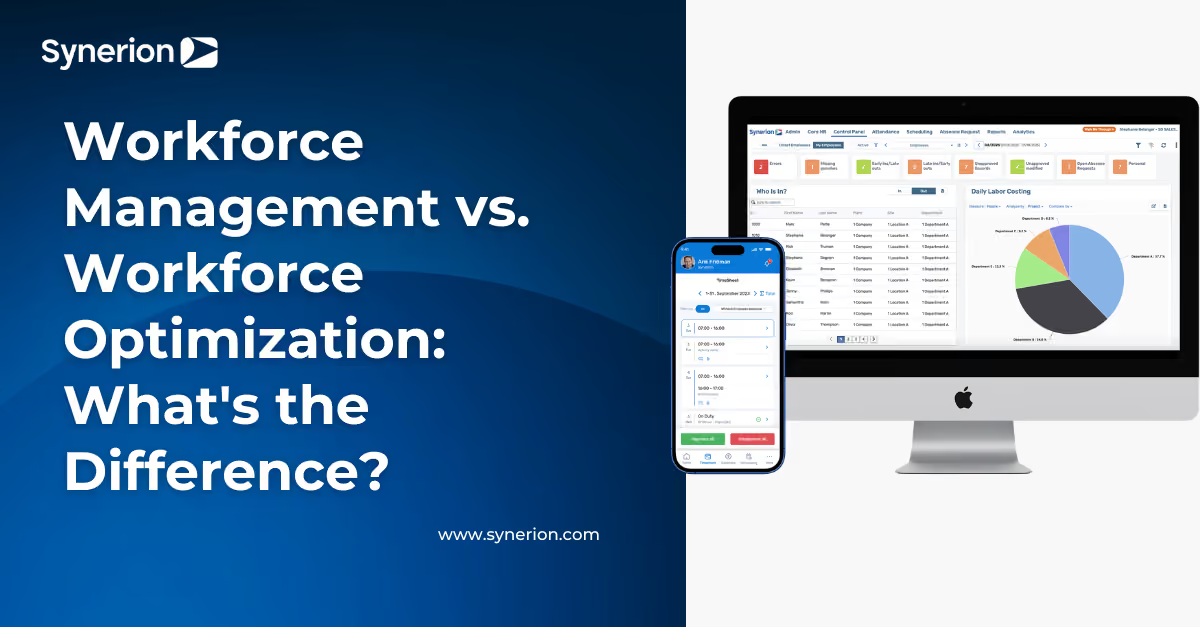
Workforce Management vs. Workforce Optimization: What's the Difference?

Overtime spikes without explanation. Payroll corrections every pay period. The pattern keeps repeating. When you go looking for answers, you run into a wall of unfamiliar acronyms that make it harder to build an internal case for fixing things. "Workforce management vs. workforce optimization" shows up in every search, but most definitions use contact center workforce optimization examples that do not apply to shift-based operations.
Here is the short version: workforce management builds the data foundation, and workforce optimization uses that data to cut waste and improve decisions. Which one you need first depends on what is actually breaking down—not on vendor categories.
Main Takeaways
- WFM manages daily tasks like time tracking and scheduling, while WFO uses that data to reduce waste and improve decisions. WFO builds on WFM insights to drive smarter operations.
- Accurate WFO insights require clean WFM data. Running analytics on flawed time capture makes problems worse.
- If payroll needs frequent manual corrections or overtime rules vary by site, fix WFM first. Optimization tools work best on a stable foundation.
- Persistent overtime in manufacturing usually signals structural scheduling gaps, not seasonal spikes. The root cause is often process-related.
- Workforce optimization doesn’t mean layoffs. Most operations use it to control unplanned overtime, close gaps, and improve labor cost visibility.
Stop Guessing With Cloud WFM Basics
Read a plain-English guide to building a WFM foundation that keeps time data clean and payroll corrections rare.
Read the Cloud WFM GuideWhat WFM, WFO, and WEM Mean (and How They Relate)

Three acronyms come up in almost every workforce software search, and they describe different layers of the same problem.
Workforce management (WFM) covers the daily work: tracking hours, building schedules, handling absences, and enforcing pay rules. Workforce optimization (WFO) sits on top of that foundation. It uses WFM data to cut labor waste, strengthen compliance, and improve staffing decisions over time. Workforce engagement management (WEM) is a broader term some vendors use for platforms that add employee feedback and coaching tools on top of WFM and WFO. Think of it as the widest circle, with WFM as the operational core you should assess first.
What Workforce Management Covers
WFM is the engine that keeps payroll accurate and shifts covered. This is where you capture punches, build schedules around skills, seniority, and collective bargaining agreements, and track absences. Break and overtime policies get applied before the pay period closes.
On a factory floor, a hospital unit, or across a chain of retail stores, getting this right means you are not spending every Monday morning chasing timecard errors or scrambling to fill gaps nobody saw coming.
What Workforce Optimization Covers
Workforce optimization is the ongoing practice of turning operational data into actions that reduce labor waste, control costs, and improve compliance.
Most online definitions tie WFO to contact center examples—call recording, agent adherence tracking, quality monitoring, performance management. In shift-based industries, it looks different: reviewing overtime trends by production line, comparing float-pool spend across nursing units, or tracking labor-to-sales ratios across store locations.
Every insight WFO can produce depends on clean WFM data. When you are comparing platforms, start with WFM capabilities before anything else.
Workforce Management vs. Workforce Optimization: Key Differences in Practice

Here is how WFM and WFO compare across the areas that matter most in practice.
Primary Objective
WFM focuses on accuracy and compliance: capturing time correctly, building compliant schedules, and applying the right pay rules before payroll closes. WFO takes that foundation and uses it to reduce waste, sharpen staffing decisions, and sustain compliance gains over time.
Core Processes
WFM runs on time and attendance, scheduling, absence management, and rule enforcement. WFO runs on what those processes produce—analytics, pattern detection, labor cost benchmarking, and continuous improvement cycles that feed back into how you staff.
Time Horizon
WFM works shift to shift and pay period to pay period. WFO works across weeks, months, and quarters—it looks for trends, not just today's exceptions.
Typical Stakeholders
Payroll directors, HR ops teams, and frontline managers own WFM. WFO tends to involve operations leadership, finance, and analytics teams—the people who need to explain labor costs and justify staffing decisions over time.
Key Metrics
WFM metrics include payroll correction rate, schedule fill rate, missed-break exceptions, and absence rate. WFO metrics include overtime rate trends, labor cost per unit or department, compliance-finding recurrence, and cross-site variance.
Tools and Modules
WFM relies on time clocks, scheduling engines, absence workflows, and payroll integrations. WFO relies on reporting dashboards, labor costing tools, alert engines, and benchmarking capabilities.
Best For
WFM is the right starting point if you are still fixing time capture, payroll accuracy, or coverage gaps. WFO is the right next step when you have stable WFM data and need to explain rising costs or inconsistent performance across locations.
U.S. manufacturing production workers averaged 3.6 overtime hours per week for five straight months in late 2024, according to the BLS. That is a structural scheduling gap, not a seasonal spike. WFM records the shift differentials and labor codes that make the pattern visible; WFO is what turns that visibility into a fix.
These two approaches do not compete—they feed each other. WFM produces clean, policy-compliant data. WFO draws on that data to find patterns, measure waste, and push better decisions back into your staffing rules. When WFM inputs are unreliable, every WFO insight inherits that noise.
Standardize Time Rules Across Every Site
See how one platform handles time capture, scheduling rules, absences, and labor costing--so you can evaluate whether your WFM layer is ready for optimization analytics.
Explore Workforce Management SoftwareWhich Do You Need First? A Symptom-Based Decision Framework

Skip the abstract "WFM or WFO?" question and focus on what is actually failing. Find the group below that best describes your situation.
Bucket A—Shore up WFM first:
- Payroll needs manual fixes most pay periods
- Overtime rules or premiums are applied differently depending on the site
- Managers rebuild schedules from scratch every time someone calls out
- Some or all hourly employees still lack reliable digital time capture
- Break or meal-period violations keep showing up in audits
Start here: Stabilize time capture and automate rule enforcement. Look for a scheduling engine built to honor your policies—platforms like Employee Scheduling tools that account for skills, seniority, and labor agreements from day one.
Bucket B—You're ready for WFO:
- Timecards and schedules run smoothly, but labor costs keep climbing without a clear reason
- You cannot benchmark staffing efficiency across departments or locations
- Overtime concentrations persist even though individual punches look clean
- The same compliance findings show up quarter after quarter
Start here: Turn on reporting and labor costing against the data you are already collecting. Find your top three cost drivers before adding more modules.
Bucket C—You likely need both now:
- You are opening new locations, absorbing an acquisition, or standardizing after rapid growth
- Compliance pressure and labor cost swings are hitting at the same time
- Salaried supervisors have been reclassified as hourly under updated overtime rules and you were not previously tracking their hours
Start here: Lock in consistent WFM rules across every site first, then layer analytics as the data stabilizes. Platforms built for complex hourly environments—like Synerion, with 35+ years of WFM experience—let you start with time and scheduling and expand into labor costing and reporting as your data matures.
Pinpoint Overtime Hotspots Before Payroll Closes
See how consistent rules, coded labor, and real-time exceptions help reduce unplanned overtime without constant payroll corrections across sites.
Request a DemoStart Building Your WFM Foundation with Synerion

You can now identify where your operation stands—whether that means fixing time and scheduling basics, turning on analytics to explain rising labor costs, or tackling both at once across multiple sites.
Synerion delivers the WFM foundation that shift-based operations need before any optimization effort can gain traction. That means time capture built to prevent disputes before they start, scheduling that enforces complex rules without constant manual work, and labor costing that gives finance and operations one shared, reliable view of where every hour goes.
Book a demo to see how Synerion enforces your pay rules automatically.
FAQs About Workforce Management vs. Workforce Optimization
What's the first step if I'm not sure whether we need WFM or WFO?
Check your payroll correction rate, overtime consistency, and schedule fill reliability. If any of these show weekly problems, fix WFM first. WFO insights built on unreliable time data will reflect noise, not useful patterns.
How do I know if our overtime problem is a WFM issue or a WFO issue?
If overtime is applied inconsistently or driven by last-minute coverage gaps, that is a WFM execution problem. If timecards are accurate but overtime hotspots keep showing up at certain lines or shifts, that is a WFO pattern-analysis opportunity.
Can I implement WFM and WFO at the same time, or should I always do WFM first?
Sequential rollout is lower risk when you are fixing legacy systems where payroll corrections are still happening every week. Running both at once works when you are building from scratch—a new site or an acquisition—and can enforce data discipline from day one.
What should I do if predictive scheduling laws apply to some of our locations but not others?
Set WFM to enforce the strictest notice window across all locations—typically 14 days in Oregon, NYC, and Chicago—to avoid compliance gaps and keep manager workflows simple. Then use WFO to reduce late schedule changes by improving demand forecasting.
If we're using workforce management software, what's the minimum data quality I need before turning on labor costing or analytics?
You need accurate punch data, consistent labor coding at the shift level, and pay calculations that apply premiums and differentials correctly. If payroll still requires manual corrections most periods, fix time capture and rule enforcement before turning on costing modules.