
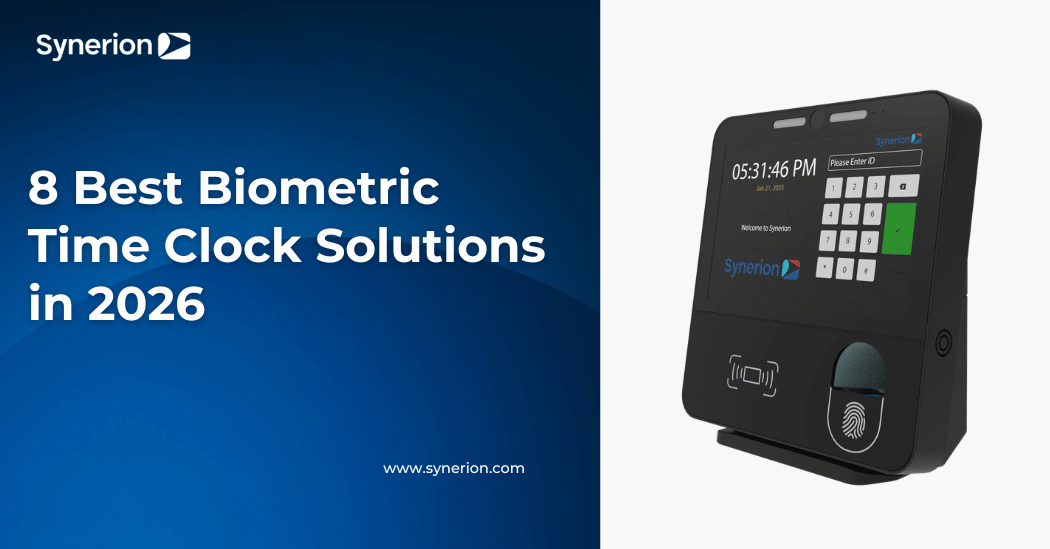
8 Best Biometric Time Clock Solutions in 2026
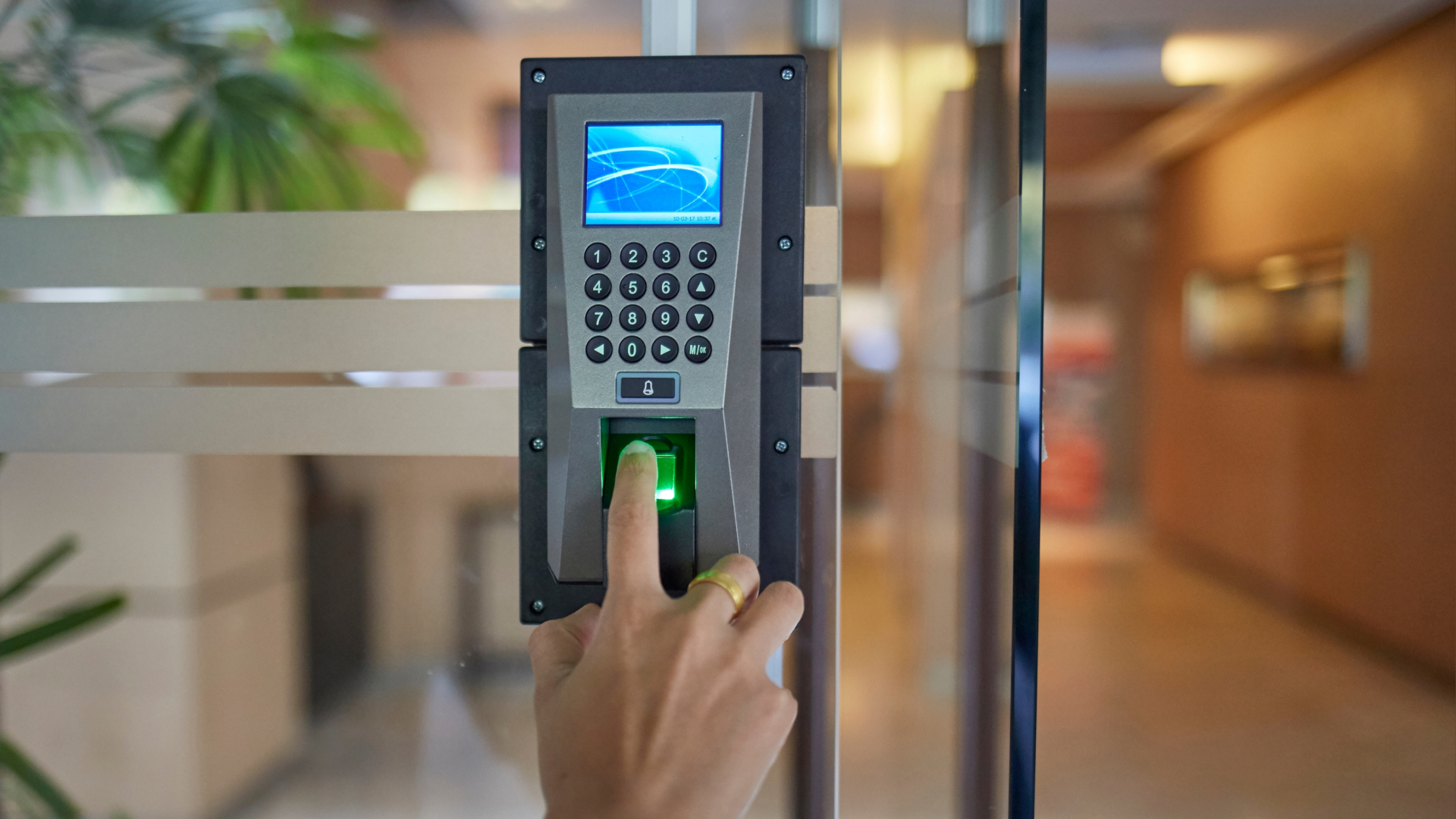
Your payroll corrections don't come from bad data entry. They come from a time clock that captures a clean punch and hands your payroll system a timestamp it can't use. The hardware works. The integration doesn't.
A biometric time clock solves buddy punching. That's table stakes, and every device on this list does it. What separates them is what happens after the punch. Most buyers start with sensor type and upfront cost. Those matter, but they're not where payroll accuracy breaks down. Integration depth and pay rule fit decide whether captured time becomes a correct paycheck or another exception to resolve.
This guide compares eight biometric time clock systems, from $80 app-connected fingerprint clocks to Synerion, our top pick for organizations of 100 or more employees that need the clock and the pay rules engine from one vendor. You'll see which clocks feed a rules engine, which ones process basic overtime, which ones export a file, and how to match hardware to your payroll stack and work setting before you buy.
Main Takeaways
- Synerion is the top pick for organizations of 100+ employees with shift differentials, union premiums, or 9/80 schedules. It's the only option on this list that makes the biometric clock and the rules engine that calculates pay at the source.
- Integration depth and pay rule fit drive payroll accuracy more than sensor type or hardware cost. Every clock here stops buddy punching; not every clock stops payroll corrections.
- Sensor choice should match your work setting: optical fingerprint for clean offices, wet/dry-rated or multispectral fingerprint for manufacturing, facial recognition where hands are wet or gloved.
- No monthly fee no longer means no cloud. The NGTeco TC4 includes a free app and cloud dashboard at $80. What no-fee clocks lack is payroll integration and pay rule processing beyond basic overtime.
- Only two products below Synerion process shift differentials before export (Lathem Enterprise and CompuTime101 Professional), and both still hand payroll a file rather than a maintained connection.
- Illinois, Texas, Washington, and California regulate biometric data collection. You need documented consent, a retention schedule, and a deletion workflow before you enroll a single employee.
Know If Biometric Time Clocks Fit Your Operation
Labor costs, overtime patterns, and compensation disputes each signal whether biometric time capture will pay off. This piece walks through the right diagnostic questions before you buy.
Read the Biometric Time Clock GuideWhy Trust This Review
Synerion has manufactured biometric time clocks and built the software behind them since 1983. We serve customers that scale to 30,000 employees, integrate with more than 100 payroll, ERP, and HR systems, and hold a 4.7/5 rating on Capterra across 100 verified reviews, a 4.5/5 on G2, and a 4.7/5 on Software Advice. We're a Platinum ADP Marketplace partner, and ADP refers time and attendance deals to us when its own module can't handle the pay rules.
We included Synerion in this comparison and scored it against the same criteria as the other seven products, including a stated limitation. Synerion is not the right choice for a 15-person office, and we say so below.
How We Evaluated Each Biometric Time Clock
We considered 14 biometric time clock products and narrowed to the eight that cover the range of buyer situations, from single-site offices to multi-site enterprises. Each was scored on five criteria:
- Payroll integration depth: maintained connector, batch file, or CSV, and whether the sync carries pay rules or just timestamps
- Pay rule handling: whether overtime, shift differentials, and premiums are applied before data reaches payroll
- Environmental fit: sensor type, ingress rating, offline punch buffering, and battery backup for the settings where employees actually clock in
- Total cost of ownership: hardware, subscription, and the labor cost of manual corrections over three years
- Privacy handling: encrypted template storage, retention and deletion controls, and consent support
What Is a Biometric Time Clock?
A biometric time clock verifies an employee's identity with a physical trait, usually a fingerprint or face, before recording a punch. The device converts the scan into an encrypted mathematical template, compares each punch against the stored template, and logs the time only when they match. Because a fingerprint or face can't be lent to a coworker, biometric time clocks eliminate buddy punching, the practice of one employee clocking in for another.
That identity check is the easy part. The harder question is what the clock does with the punch. Hardware-only clocks store punches locally and export a file. Cloud-connected clocks push punches to a dashboard and export batches to payroll. A few cloud clocks apply basic pay rules before export. Workforce management platforms apply your full rule set (shift differentials, overtime thresholds, rounding, union premiums, seniority) at the clock and maintain the payroll connection. The eight products below span all of those tiers.
Best Biometric Time Clock Comparison Table: 8 Systems at a Glance

The table compares eight biometric time clock systems across price, subscription status, biometric modality, best use case, and payroll integration. Products run from the most pay-rule depth to the least, starting with our top pick. Prices are vendor list prices as of August 2026; retailers often discount hardware, and prices change.
| Product | Price Range | Subscription | Modality | Best Use Case | Primary Payroll Integration |
|---|---|---|---|---|---|
| Synerion (top pick) | Custom quote; three software tiers, clocks included on Enterprise | Yes (per-user license) | Fingerprint, facial recognition, badge/PIN, tablet, mobile with geofencing | 100+ employees with shift differentials, union rules, 9/80 schedules | 100+ integrations; Platinum ADP Marketplace connector; QuickBooks, Gusto, Dayforce, SAP, Workday, Sage |
| uAttend JR2000 / DR2000 | $179.99 (JR2000) / $299.99 (DR2000) + $29 to $195/mo | Yes | Fingerprint, RFID, PIN (JR2000); facial recognition and voice (DR2000) | 10 to 100 employees wanting a cloud dashboard, mobile punch, and lifetime hardware replacement | ADP, QuickBooks, Paychex, Gusto (batch export / CSV) |
| Lathem PayClock (PCTOUCH / PCFACE) | Hardware quoted + $35 to $250/mo (Standard) or $3/employee/mo (Enterprise, $50 min) + $6 to $7/mo per clock | Yes | Fingerprint, PIN, badge (PCTOUCH); facial recognition (PCFACE) | 25 to 150 employees needing shift differentials and premium time without an enterprise platform | 28 export formats: ADP, QuickBooks, Paychex, Gusto |
| Allied Time CB4000 | $219 hardware (sale; $299 regular) + $24 to $125/mo | Yes | Palm, facial recognition, fingerprint, PIN, badge | Multi-location small business wanting palm scan on a cloud clock | CSV export with custom payroll mapping: ADP, Paychex, Gusto |
| Suprema BioStation 2 | $500 to $700 | No (hardware); software varies | Fingerprint (optical, wet/dry) | Multi-site enterprise combining access control with time tracking; outdoor-rated | BioStar 2 platform or third-party WFM integration |
| Compumatic XLS Bio v2 + CompuTime101 | ~$300 bundled | No | Fingerprint (wet/dry optical) | 25 to 250 employees wanting the widest no-subscription payroll export fit | 50+ payroll export formats: ADP, QuickBooks, Paychex |
| Pyramid TimeTrax Elite Biometric | $475.69 (Quill; limited stock) | No | Fingerprint, PIN | Single-site offices up to 50 employees wanting US-made hardware and multi-tier overtime rules with no fees | QuickBooks (direct); ADP, Paychex, Heartland export files |
| NGTeco TC4 | $79.99 | No (one-time $9.90 premium unlock) | Fingerprint | Budget app-connected clock for single-site offices under 25 employees | Report export only; no direct payroll integration |
A comparison table narrows your shortlist. The right choice depends on what happens after the punch: does the clock feed a rules engine, or does it hand your payroll team a raw timestamp to interpret?
The 8 Best Biometric Time Clock Systems for 2026
Each system below follows the same structure: a one-sentence verdict, modality, pricing, payroll integration notes, and pros and cons. That lets you compare on the factors that affect payroll accuracy, not just hardware features.
If you have 100 or more employees and any of shift differentials, union rules, or 9/80 schedules, Synerion is the only entry on this list that solves your problem end to end. The other seven are here for smaller operations and simpler pay rules.
1. Synerion: Top Pick for Complex Pay Rules and Enterprise Payroll Integration
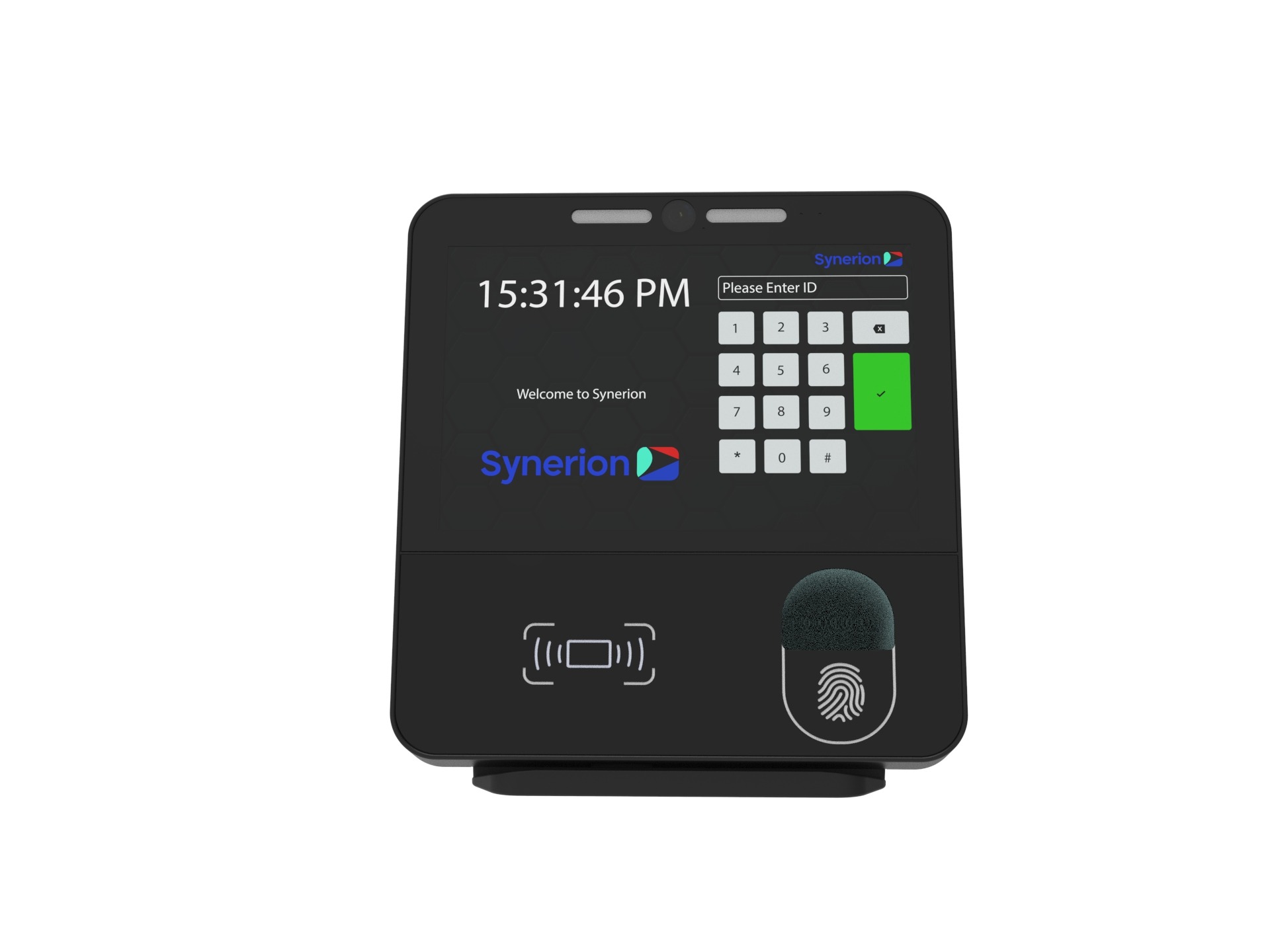
Best for organizations of 100 to 30,000+ employees with shift differentials, union premiums, 9/80 schedules, or overtime equalization rules, that want the biometric clock and the pay rules engine from one vendor. Synerion makes three biometric time clocks and the workforce management software they feed. Swift is a compact fingerprint or PIN clock built for high-traffic areas and rated for dusty industrial settings. Fusion combines facial recognition, fingerprint, and badge reading on a touchscreen and is Synerion's most popular clock. Horizon adds a larger interactive screen where employees can check schedules, request time off, and review timesheets at the device. Fusion and Horizon connect by Ethernet, Wi-Fi, or cellular, store punches offline with automatic sync, and run on battery backup during outages. Employees can also clock in to specific job codes or tasks for labor allocation, and mobile and web punching with geofencing covers workers who never pass a fixed clock.
The difference from every other product on this list is what happens to the punch. Synerion's platform applies overtime, premiums, breaks, and shift differentials at the source, so payroll receives calculated time rather than raw timestamps. One customer runs more than 1,000 unionized employees across three locations on it, with statutory holiday rules, accruals, and mid-pay-period rate increases automated end to end.
Modality: Fingerprint, facial recognition, badge/PIN, tablet punch, mobile and web punch with geofencing.
Pricing: Three software tiers (Agile, Agile+, Enterprise), all quoted on request and licensed per user. Time clock devices are add-ons on Agile and Agile+ and included on Enterprise, the tier reviewed here.
Ratings: Capterra 4.7/5 (100 reviews); G2 4.3/5 (23 reviews)
Payroll integration: 100+ payroll, ERP, and HR systems, including a Platinum ADP Marketplace connector, QuickBooks, Gusto, Dayforce, SAP, Workday, Sage, and BambooHR. Custom payroll layouts are built when a system isn't on the list.
- Pros: Calculates shift differentials, premiums, and overtime at the clock, not after export. One vendor for hardware, software, and payroll integration. Rugged-rated fingerprint clock for industrial floors. Cellular fallback and battery backup on Fusion and Horizon. Encrypted biometric templates, never raw images. 40+ years in time and attendance and scales to 30,000+ employees.
- Cons: Pricing requires a quote and there's no self-serve hardware purchase. The Enterprise tier is overkill for a single-site office under 25 employees, where a $300 hardware clock and a simple payroll import will do. If shift differentials are your only complex rule and you're under 150 employees, Lathem Enterprise at $3 per employee will process them for less.
2. uAttend (JR2000 / DR2000)
Best for small to mid-size businesses (10 to 100 employees) wanting a cloud-connected biometric time clock with mobile app access and lifetime hardware replacement. The JR2000 ($179.99) is a touchscreen clock with fingerprint, RFID, and PIN punch options. The DR2000 ($299.99) is a touch-free facial recognition clock with voice control. Both store punches during internet outages and sync when the connection returns.
Modality: Fingerprint, RFID, PIN (JR2000); facial recognition and voice (DR2000).
Pricing: Hardware plus $29 to $195 per month by headcount, month to month with no contract. The subscription includes lifetime hardware replacement. Office supply retailers frequently discount the hardware.
Ratings: Capterra 4.5/5 (400+ reviews); G2 4.5/5 (80+ reviews).
Payroll integration: ADP, QuickBooks, Paychex, and Gusto via batch export or CSV. uAttend doesn't process shift differentials or premiums before export.
- Pros: Cloud dashboard with real-time punch data, mobile punch, overtime alerts, lifetime hardware replacement on subscription.
- Cons: Subscription adds up ($1,224 to $7,200+ over three years beyond hardware), batch export means manual cleanup for complex rules, no shift differential processing.
3. Lathem PayClock (PCTOUCH / PCFACE)
Best for businesses of 25 to 150 employees that need shift differentials and premium pay processed before payroll export, without moving to an enterprise platform. Lathem's PCTOUCH is a Wi-Fi touchscreen fingerprint clock with PIN and badge fallback; the PCFACE adds facial recognition. Both feed PayClock Online, keep punching during outages on battery backup, and let employees view hours and transfer departments at the clock.
Modality: Fingerprint, PIN, badge (PCTOUCH); facial recognition (PCFACE).
Pricing: Clocks are quoted. Software is $35 to $250 per month by headcount on Standard, or $3 per employee per month with a $50 minimum on Enterprise. Each clock carries a $6 to $7 monthly hardware support plan that includes no-charge replacement. 15-day free trial and 30-day money-back guarantee.
Ratings: Capterra 4.6/5 (100+ reviews); G2 3.9/5 (7 reviews).
Payroll integration: 28 standard export formats including ADP, QuickBooks, Paychex, and Gusto, plus custom exports on request.
- Pros: The Enterprise tier processes shift differentials, premium time, holiday calendars, custom pay codes, and custom rounding at $3 per employee, which no other cloud clock on this list matches. No-charge clock replacement while subscribed. 49 standard reports.
- Cons: Exports are files, not a maintained connection. No union seniority, 9/80 overtime windows, overtime equalization, wage grids, or ERP job costing. Hardware pricing requires a quote, and reviewers report the mobile app lags the desktop experience.
4. Allied Time CB4000
Best for multi-location small businesses that want a palm-scan option on a cloud clock. The CB4000 verifies identity by palm, face, or fingerprint, plus PIN or badge, connects over Wi-Fi to Allied's AWS-hosted cloud, keeps punches during outages, and includes a mobile app. The software tracks overtime, PTO, lunches, shifts, departments, wages, and up to 30 job codes before export.
Modality: Palm, facial recognition, fingerprint, PIN, badge.
Pricing: $219 hardware on sale ($299 regular), plus $24 (1 to 9 employees) to $125 (100 to 250) per month and $12 per month for each additional clock. 30-day free trial. The service fee includes lifetime hardware warranty, support, updates, and records storage.
Payroll integration: Built-in CSV exports with custom payroll mapping for ADP, Paychex, Gusto, and others.
- Pros: Palm scan for settings where fingerprints fail, multi-site cloud reporting, low entry subscription, lifetime hardware warranty.
- Cons: Subscription required, per-device fees add up across locations, no rules engine for shift differentials or premiums.
5. Suprema BioStation 2
Best for multi-site enterprises needing high-security biometric access control combined with time tracking, indoors or out. The BioStation 2 uses an optical fingerprint sensor tuned for wet and dry fingers, carries an IP65 rating, supports up to 500,000 users, and stores 3 million logs locally if the server connection drops. The current model is the BioStation 2a.
Modality: Fingerprint (optical, wet/dry).
Pricing: $500 to $700 hardware, no hardware subscription. BioStar 2 or a compatible workforce management platform is required for payroll.
Payroll integration: Through BioStar 2 or a third-party WFM integration. Not a standalone time clock for payroll purposes.
- Pros: Enterprise-grade security, IP65 rating, dual-purpose access control and time capture, fast matching, Wi-Fi and Power-over-Ethernet.
- Cons: Premium price. Requires BioStar 2 or compatible WFM software. Access control is the primary use case; time and attendance is secondary.
6. Compumatic XLS Bio v2 with CompuTime101
Best for businesses of 25 to 250 employees wanting a no-subscription fingerprint clock with the widest payroll export fit. The bundle pairs an optical sensor tuned for wet, dry, and rough fingers with CompuTime101 Windows software that includes 50+ payroll export formats and basic pay rules: daily and weekly overtime, punch rounding, and automatic lunch deduction, with a Professional upgrade for revision zones and overtime overrides. The clock holds 3,000 templates and 50,000 punches, connects by Wi-Fi, Ethernet, or USB, and protects data on battery-backed memory.
Modality: Fingerprint (wet/dry optical).
Pricing: About $300 one-time, with 90 days of setup support and a one-year hardware warranty. Employee capacity upgrades from 25 to unlimited.
Payroll integration: 50+ file exports including ADP, QuickBooks, and Paychex.
- Pros: Widest no-fee export fit, basic overtime and rounding rules included, wet-finger sensor at a hardware-only price, same software drives Compumatic's face clock if you'd rather go touchless.
- Cons: Windows-only and on-premises, dated interface, no shift differential or premium processing.
7. Pyramid TimeTrax Elite Biometric
Best for single-site offices up to 50 employees wanting US-made fingerprint hardware with multi-tier overtime rules and no fees. The TimeTrax Elite scans a fingerprint or accepts a manager-approved PIN, stores 1,500 templates and 6,000 punches between downloads, and rides out a week without power on battery backup. The included TimeTrax software handles time-and-a-half, double time, and seventh-day overtime rules, plus holiday and bonus hours, and runs nine payroll reports.
Modality: Fingerprint, PIN.
Pricing: $475.69 one-time at Quill as of August 2026. Staples no longer stocks it and Quill shows limited quantity, so confirm availability before you plan around it. 50-employee license included, expandable with upgrade packs and add-on terminals.
Ratings: Capterra 4.2/5 (5 reviews, for the TimeTrax PC software).
Payroll integration: Direct QuickBooks integration, plus export files for ADP, Paychex, Heartland, and others. No Gusto.
- Pros: No monthly fees, US-made, direct QuickBooks integration, multi-tier overtime rules, easy expansion with add-on terminals.
- Cons: Priced well above the Compumatic bundle for similar capability, and retail availability is shrinking. Windows-only desktop software with no cloud or mobile app, Ethernet-only connection, no shift differentials, and fingerprint reads degrade with dirty or wet hands.
8. NGTeco TC4
Best for budget-conscious single-site offices under 25 employees wanting an app-connected fingerprint clock with no monthly fee. The TC4 connects over Wi-Fi to NGTeco's free cloud and mobile app, stores punches on a backup battery during outages, and unlocks GPS punch-in and unlimited employees for a one-time $9.90.
Modality: Fingerprint. (The TC5 is NGTeco's face-recognition model.)
Pricing: $79.99, no subscription.
Payroll integration: Report export only; no direct connection to any payroll platform.
- Pros: Lowest cost on this list, free cloud and app access, offline sync with battery backup.
- Cons: Fingerprint only, report export means manual payroll import, no rules processing.
Every system on this list captures biometric data reliably and stops buddy punching. What sets them apart is whether the data feeds a rules engine that handles your pay complexity or leaves you to bridge the gap by hand.
When Small-Business Biometric Time Clocks Stop Working: 100+ Employee Considerations
Small-business biometric time clocks start to fail at about 100 employees across multiple locations. The software behind them can't handle the pay rules that come with shift differentials, overtime rules that vary by state, and union agreements. The hardware doesn't break. The system around it does.
Most cloud clocks stop at basic overtime math. A few, like Lathem Enterprise, can process shift differentials. Even those export a file instead of keeping a live payroll connection. None of them handles union seniority, 9/80 overtime windows, overtime equalization, or wage grids. And shift differentials are common. In the ASE 2025 Pay Administration Survey, 48% of Michigan employers said they offer them, and 80% of production employees at those companies are eligible. File-export clocks also need a manual import into payroll every pay period. Across two or more locations, that creates a correction cycle that eats up payroll staff hours. In PayrollOrg's 2025 survey of 585 payroll professionals, late or inaccurate time-tracking data ranked as the second-biggest cause of payroll errors.
Mid-market teams need to see every site from one place without logging into each clock. They need their pay rules applied before the data reaches payroll: shift differentials, overtime rules by state, union premiums, and 9/80 schedules. The clock captures the punch. A rules-aware workforce management layer applies the logic.
They also need payroll connections that stay accurate when payroll settings change. Large global companies lose an estimated 2% to 4% of total labor spend to payroll leakage, according to UKG and KPMG. The causes, timekeeping gaps and process gaps, are the same at any size.
At this scale, the biometric time clock is just the data capture layer. What matters is the system between the clock and your payroll. It has to handle your real pay rules without a manual step every pay period.
Do Fingerprint Time Clocks Actually Work?

Fingerprint time clocks work reliably when you match the sensor type to your work setting. Optical sensors perform well in clean offices. Wet/dry-rated optical sensors (Compumatic, Suprema) and multispectral sensors handle dirty, calloused, or wet fingers common in manufacturing and food service. The variable isn't the technology. It's whether the sensor fits the conditions your employees actually punch in.
Sensor Types: Optical vs. Capacitive vs. Multispectral
Optical sensors capture a 2D image of the fingerprint surface. They're the lowest-cost option and work well in clean, dry settings like offices and retail front desks. Basic optical sensors struggle with wet, oily, or worn fingers; newer coated optics like those on the Compumatic XLS Bio v2 and Suprema BioStation 2 close some of that gap. Capacitive sensors use electrical current to map ridge patterns. They're more durable than optical and slightly better with dirty fingers, though they still degrade in heavy industrial conditions.
Multispectral imaging (MSI) sensors capture data from both the surface and subsurface of the finger. They read through dirt, moisture, oils, and calluses. The HID Global Lumidigm M-Series is the reference product in this category and cuts false rejections in factory and warehouse settings where standard optical sensors fail.
Environmental Performance and False Rejection Rates
Office and corporate settings are the easiest to deploy. Optical or capacitive sensors are enough, and false rejection rates (FRR) stay minimal in controlled conditions. Manufacturing and warehouse floors are a different story. Standard optical sensors produce too many false rejections with gloved, greasy, or calloused hands, and multispectral or wet/dry-rated sensors are the better choice. Food service presents a similar challenge because sanitized or wet hands degrade optical sensors, so MSI or facial recognition fit better. Construction sites make fingerprint impractical because of gloves, and facial recognition or a badge with photo verification is the standard approach.
Ask vendors for their false rejection rate under conditions matching your setting, not lab conditions. NIST PFT III validates fingerprint verification algorithms on an ongoing basis, which confirms the technology's maturity for real-world deployment. As a working benchmark, expect vendors to show FRR under 1% for office settings and under 3% in field conditions for industrial settings with MSI sensors.
Which Biometric Time Clock Is Best? Fingerprint vs. Facial Recognition vs. RFID
No single biometric modality is best across the board. The right choice depends on your work setting, hygiene needs, and workforce turnover rate. Fingerprint works for most office and light-industrial settings. Facial recognition suits places where hands are dirty, gloved, or wet. RFID/badge serves as a fallback or complement, not a standalone biometric solution.
| Environment | Recommended Modality | Rationale |
|---|---|---|
| Office / corporate | Fingerprint (optical or capacitive) | Low cost, fast verification, minimal FRR. Facial recognition is an alternative where touchless operation is preferred. |
| Food service / long-term care | Facial recognition | Sanitized or wet hands degrade fingerprint sensors. Touchless operation supports hygiene protocols. |
| Manufacturing / warehouse | Multispectral or wet/dry fingerprint, or facial recognition | MSI for stationary punch points; facial recognition for high-traffic areas where hands are occupied. |
| Multi-site / high-turnover | Facial recognition | No physical contact and faster enrollment reduce onboarding friction across locations. |
| Construction / outdoor | Badge with photo verification or GPS mobile punch | Fingerprint is impractical with gloves. Biometric is secondary in this environment. |
Fingerprint scans the unique ridge pattern of a finger. Its main advantage is mature technology at the lowest per-unit cost. Its main limitation is weaker results with dirty, wet, or damaged skin. Facial recognition maps facial geometry using infrared or visible-light cameras. It works with gloves and wet hands, making it touchless, though lower-cost units struggle in direct sunlight or low light. RFID/badge uses a proximity card to identify the employee. It's the fastest punch with no biometric data to store, but cards can be shared, which removes the identity verification benefit that biometrics provide. Multi-modal clocks like Synerion Fusion and the Allied Time CB4000 let you enroll a fingerprint and a face (or palm) so the second method serves as the fallback when the first fails.
Best Biometric Time Clocks With No Monthly Fee
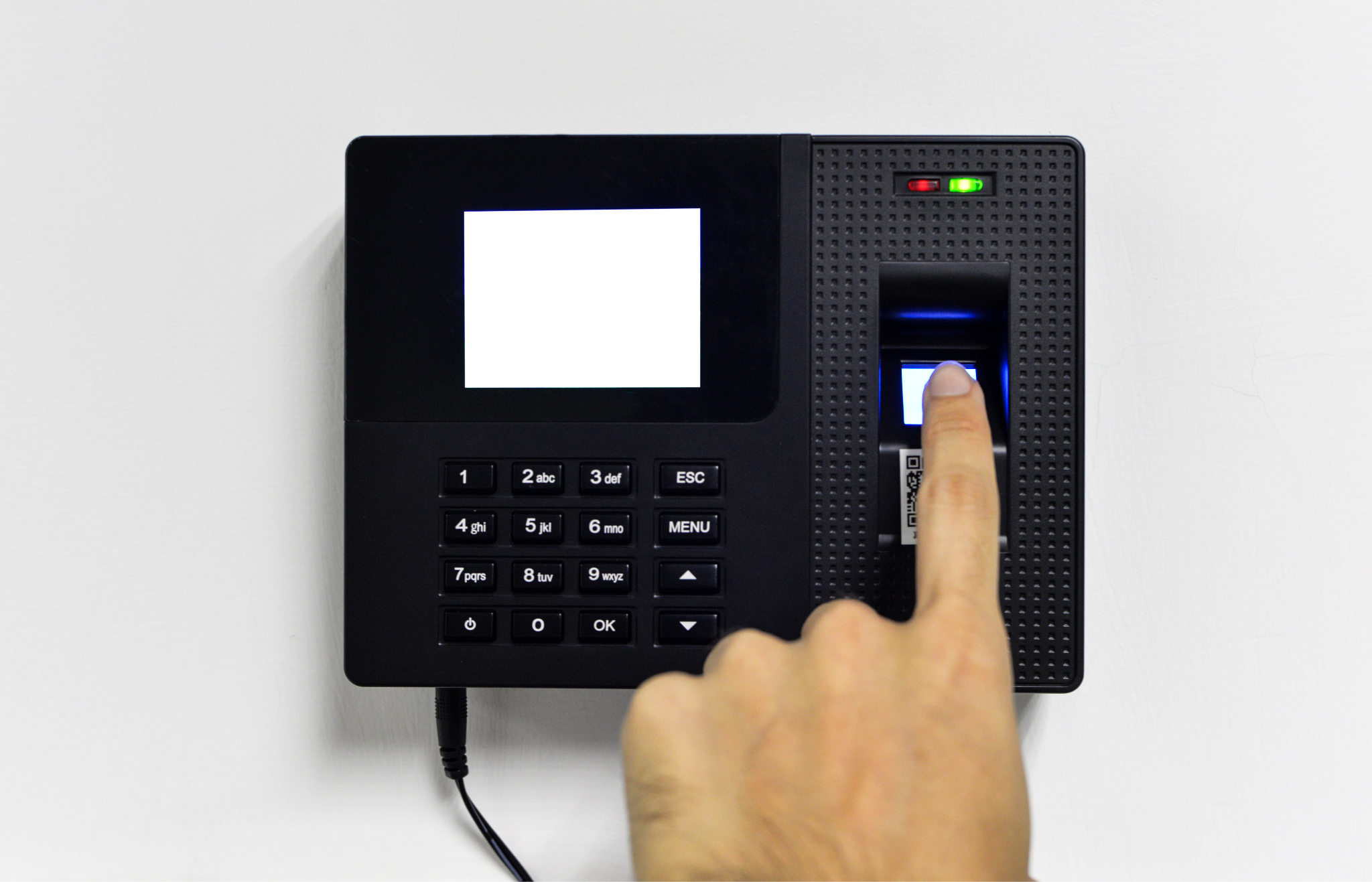
Three biometric time clocks on this list are one-time purchases with no subscription: the NGTeco TC4 ($79.99), the Compumatic XLS Bio v2 with CompuTime101 (about $300), and the Pyramid TimeTrax Elite ($475.69, limited stock). None of them creates a maintained payroll connection or processes shift differentials; you get a timestamp, basic overtime math, and an export file. For a single site with simple pay rules, the Compumatic bundle is the pick: 50+ payroll export formats, daily and weekly overtime, and a wet/dry sensor at $300. Once you add locations, differentials, or complex overtime rules, the subscription you avoided gets spent on manual cleanup, and the comparison shifts to the 3-year cost section below.
3-Year Total Cost: No-Subscription vs. Cloud Subscription
The math is clear. A Compumatic XLS Bio v2 bundle at $300 one-time costs $300 over three years. A uAttend JR2000 at $179.99 plus a $29 per month base plan costs $1,224 over the same period, and the higher uAttend tiers ($99 to $195 per month) push three-year cost to $3,744 to $7,200 or more. An Allied Time CB4000 at $219 plus $24 per month runs $1,083. Lathem Standard at $35 per month plus $6 hardware support runs $1,476 over three years before the quoted clock.
The cost gap is real, but so is the capability gap. Subscription clocks include cloud dashboards, mobile access, real-time data, lifetime hardware replacement in uAttend's, Allied Time's, and Lathem's case, and, on Lathem Enterprise, shift differential processing. No-subscription hardware gives you a timestamp, basic overtime math, and an export file.
For single-site work with simple pay rules and a payroll system that accepts file imports, hardware-only makes financial sense. Once you add locations, shift differentials, or complex overtime rules, the savings on subscription fees get consumed by manual cleanup labor.
How Biometric Time Clocks Integrate With ADP, QuickBooks, and Paychex
The sync method between your biometric time clock and your payroll system decides whether time data flows cleanly or requires manual cleanup. Three integration tiers exist:
- Maintained connector or API: data flows automatically, and the platform can apply pay rules before payroll receives it
- Batch export: scheduled or on-demand file transfers in a payroll-specific format
- CSV/manual: you export and import files yourself
Most clocks below Synerion run at the batch or CSV tier, even the ones that process rules first.
| Product | ADP | QuickBooks | Paychex | Gusto | Sync Method |
|---|---|---|---|---|---|
| Synerion | Yes (Platinum Marketplace connector) | Yes | Custom layout | Yes | Maintained connector and pre-built integrations; custom payroll layouts on request |
| uAttend | Yes | Yes | Yes | Yes | Batch export / CSV |
| Lathem PayClock | Yes | Yes | Yes | Yes | 28 export formats (file); custom exports available |
| Allied Time CB4000 | Yes | Confirm | Yes | Yes | CSV export with custom payroll mapping |
| Compumatic XLS Bio v2 + CompuTime101 | Yes | Yes | Yes | Yes | 50+ export formats (file) |
| Pyramid TimeTrax Elite | Yes | Yes (direct) | Yes | No | Direct QuickBooks integration; export files for others |
| Suprema BioStation 2 | Via BioStar 2 or WFM | Via BioStar 2 or WFM | Via BioStar 2 or WFM | Via BioStar 2 or WFM | Depends on platform |
| NGTeco TC4 | No | No | No | No | Report export only |
A maintained connection doesn't just move timestamps faster. It lets the workforce management layer between the clock and payroll apply rules (shift differentials, overtime thresholds, rounding policies, union premiums) and keeps working as payroll APIs update. File exports move whatever the clock software calculated, and they break when payroll file formats change, which creates the exact manual cleanup work biometric clocks are supposed to remove.
Three questions to ask any vendor before you buy the hardware:
- Is the payroll connection bidirectional, so employee records and pay rates sync back to the clock?
- Which pay rules are applied before export: overtime, rounding, differentials, premiums, or none?
- What happens on a sync failure? Is there an error log and a retry, or does the pay period silently go out short?
How to Choose a Biometric Time Clock: Buyer's Guide for 25 to 500 Employees
Choosing a biometric time clock means matching five variables to your operation: workforce size and pay rule complexity, work setting and connectivity, subscription versus hardware-only, payroll integration depth, and biometric privacy compliance. Most buyer's guides stop at the first two. For businesses with 25 to 500 employees, the last three are where purchase decisions go wrong.
Workforce Size and Pay Rule Complexity
Under 25 employees at a single site, a no-subscription fingerprint clock (NGTeco TC4, Compumatic, Pyramid) with file export is enough if your pay rules are simple.
At 25 to 100 employees, cloud-connected clocks with batch payroll export become necessary for visibility across shifts and locations. If shift differentials are in play, Lathem Enterprise processes them for $3 per employee.
At 100 to 500 employees, you need a workforce management software layer between the clock and payroll. The clock captures the punch. The software applies shift differentials, union premiums, seniority, jurisdiction-specific overtime, and compliance logic before data reaches payroll, and maintains the payroll connection. Synerion is the pick here because the clock and the rules engine come from the same vendor.
Work Setting and Connectivity
Your setting drives modality: office defaults to fingerprint, manufacturing calls for wet/dry or MSI fingerprint or facial recognition, and food service works best with facial recognition.
Connectivity is the variable most guides skip. Wi-Fi drops on warehouse floors, job sites, and kitchens. Any clock you buy should buffer punches locally and sync when the connection returns, and battery backup matters where power is unreliable. Every product on this list buffers offline; Synerion's Fusion and Horizon add cellular as a fallback. Ask vendors how many days of punches the device holds offline and what happens when storage fills.
Subscription vs. Hardware-Only
Hardware-only makes sense when:
- You run a single site with simple pay rules.
- Your existing payroll system handles all rule processing.
- Budget is the primary constraint.
Subscription makes sense when:
- You manage multiple locations.
- You need real-time visibility.
- Your pay rules require a rules engine.
- Field workers need a mobile punch option.
Payroll Integration and Privacy Compliance
Before purchasing, confirm three things. Does the clock export in a format your payroll system accepts? Is the sync method (maintained connection, batch, CSV) enough for your pay period cadence? Does the vendor handle biometric data in compliance with your state's privacy laws?
Pay rule handling sorts the list into three tiers. Most clocks below Synerion handle daily and weekly overtime. Lathem Enterprise and CompuTime101 Professional go further with shift differentials or overtime overrides, but still export a file. Synerion enforces the full stack at the clock and maintains the payroll connection.
For mid-size businesses, payroll integration depth is the most underweighted decision variable. Some clocks capture clean biometric data, but if they export a flat file to a payroll system running shift differentials the clock never calculated, they'll create corrections every pay period.
Run the decision in this order:
- Match modality to setting.
- Match subscription model to how complex your operation is.
- Confirm the payroll sync method before purchasing.
- Verify biometric data handling against your state's privacy rules.
- Decide whether you need a rules engine between the clock and payroll.
See How Pay Rules Get Enforced at the Clock
Shift differentials and union premiums require more than a timestamp. See how Synerion's fingerprint time clock captures the punch and applies your pay rules before the data reaches payroll.
Explore the Fingerprint Time ClockBiometric Time Clock Privacy Laws: BIPA, Texas, Washington, and California

Four U.S. states impose specific rules on employers collecting biometric data: Illinois (BIPA, 740 ILCS 14), Texas (CUBI, Bus. & Comm. Code §503.001), Washington (RCW 19.375), and California, where the CPRA classifies biometric information as sensitive personal information. If you operate in any of these states, biometric time clock deployment requires documented consent, a retention policy, and a deletion workflow before you enroll a single employee.
Illinois BIPA requires:
- Written notice of purpose
- Written consent before collection
- A published retention schedule
- A deletion policy
BIPA carries a private right of action, meaning individual employees can sue, and it remains the most litigated biometric privacy law in the U.S. (Illinois General Assembly). A 2024 amendment limited damages to one violation per person rather than per scan, which reduced the worst-case exposure but not the consent requirements.
Texas CUBI requires informed consent before capture and prohibits sale of biometric data; the state attorney general enforces it with no private right of action. Washington RCW 19.375 requires notice and consent for enrollment and restricts commercial use and disclosure. California's CPRA gives employees the right to limit use of their biometric data and requires disclosure at collection.
Questions to ask vendors before purchasing:
- Is biometric data stored as an encrypted template or as a raw fingerprint or facial image? Templates can't be reverse-engineered into a fingerprint; images can be stolen.
- Where is template data stored (on-device, cloud, third-party), and is it encrypted at rest and in transit?
- What is the vendor's retention and deletion policy, and can you export or delete all biometric data if you end the contract?
- Does the vendor provide consent form templates?
For reference, Synerion converts each scan into an encrypted template, stores the template on the device and on its servers, never stores the raw fingerprint or facial image, and hosts US customer data in US regions of a SOC 1 and SOC 2 certified cloud environment. Its privacy policy also spells out that the employer, not the vendor, is responsible for obtaining written consent, which is the correct legal allocation under all four state laws.
Multi-state employers face the strictest-state-applies problem. If you have one location in Illinois, your entire biometric program may need to meet BIPA standards.
What a Biometric Time Clock Actually Costs: Hardware, Software, and 3-Year TCO
A biometric time clock has three cost layers:
- Hardware (one-time)
- Software or subscription (recurring or one-time)
- The hidden cost of manual cleanup when the clock and payroll system don't sync cleanly
Most buyers look at only the first layer.
| Tier | Hardware Cost | Monthly Cost | 3-Year Total |
|---|---|---|---|
| Hardware-only (NGTeco TC4, Compumatic XLS Bio v2, Pyramid TimeTrax Elite) | $80 to $476 | $0 | $80 to $476 |
| Cloud subscription (uAttend, Allied Time, Lathem Standard) | $180 to $300 (Lathem quoted) | $24 to $250 | $1,083 to $9,000+ |
| Cloud with differential processing (Lathem Enterprise) | Quoted | $3/employee + $6 to $7/clock ($50 min) | $1,800 to $5,600+ at 50 to 150 employees |
| WFM platform with clocks (Synerion Enterprise) | Included in Enterprise license | Custom per-user license | Higher upfront; offsets payroll correction labor and leakage |
The cheapest clock isn't the one with the lowest sticker price. It's the one that doesn't create payroll corrections. Say your payroll team spends four hours per pay period fixing file imports against shift differentials and overtime rules. That labor cost over three years often exceeds the subscription fee you avoided. Total cost of ownership is hardware plus subscription plus the labor cost of every manual correction the system creates downstream.
Quick Picks by Need
- Best overall for complex pay rules: Synerion. Clock and rules engine from one vendor; differentials, premiums, and union rules calculated at the source.
- Best mid-priced clock with shift differentials: Lathem PayClock Enterprise. $3 per employee, file export.
- Best cloud clock for small teams: uAttend JR2000. Real-time dashboard, mobile punch, lifetime hardware replacement.
- Best cloud clock with palm scan: Allied Time CB4000.
- Best no-subscription clock with payroll export: Compumatic XLS Bio v2 with CompuTime101. 50+ export formats at $300.
- Best budget clock: NGTeco TC4. Fingerprint plus free app for under $80.
- Best for combined access control and outdoor mounting: Suprema BioStation 2.
Start Managing Biometric Time Data With a Rules Engine That Matches Your Payroll Reality
You can now evaluate biometric time clocks by whether the captured data feeds a payroll system that handles your actual pay rules without a manual step every cycle. Sensor type and upfront cost still matter, but they're secondary to integration depth and rules-engine capability.
Synerion makes both halves of that equation: the Swift, Fusion, and Horizon biometric clocks, and the workforce management platform that applies the pay complexity generalist clocks can't process:
- Shift differentials
- Union premiums
- 9/80 schedules
- Overtime equalization
Every location runs consistent time capture. Your payroll team stops correcting what the clock should have calculated from the start. You prove labor cost by department, job, or location with data your CFO will accept, because the rules are enforced before data reaches payroll.
See the Swift, Fusion, and Horizon clocks and how they connect to ADP, QuickBooks, and 100+ other payroll systems.
Stop Correcting What the Clock Should Calculate
If your team manually reconciles file exports against 9/80 schedules or overtime equalization rules every pay period, that's a system problem. See how Synerion handles it before the punch reaches payroll.
Book a DemoFAQs About Biometric Time Clocks
Are biometric time clocks legal?
Yes, in every U.S. state, provided you follow the applicable privacy law. Illinois, Texas, Washington, and California require written notice and consent before collecting biometric data, plus a retention and deletion policy. In Illinois, employees can sue directly under BIPA. Most other states have no biometric-specific statute, but general data breach laws still apply to biometric data. Use your vendor's consent templates as a starting point and confirm with employment counsel in each state where you operate.
Do biometric time clocks store fingerprint images?
Reputable clocks don't. The scan is converted into an encrypted mathematical template, and the template is what's stored and compared at each punch. A template can't be reversed into a usable fingerprint or face image. Ask any vendor to confirm in writing that raw images are not retained, because that distinction determines your exposure under BIPA and similar laws.
Can I use a biometric time clock if employees work across multiple locations?
Yes, if the system includes cloud-based management or a centralized workforce management platform that pulls punch data from all sites automatically. Cloud-connected clocks like uAttend, Lathem, Allied Time, and Synerion's Swift, Fusion, and Horizon push data to a single dashboard. Desktop-software clocks like the Pyramid TimeTrax Elite and Compumatic XLS Bio v2 can network multiple terminals to one PC, but each site's data still lands in on-premises software.
What happens if an employee's fingerprint won't scan reliably?
Enroll a backup: an alternate finger, or a face if the clock supports it. You can also add a secondary method like a badge or PIN with supervisor override. Most systems allow multiple enrollment templates per employee to reduce false rejections. Multi-modal clocks like Synerion Fusion and the Allied Time CB4000 provide a built-in fallback. Wet/dry-rated and multispectral sensors reduce false rejections in industrial settings but don't remove them entirely.
Do biometric time clocks work offline?
Yes. Every clock on this list stores punches locally when the connection drops. Lathem's clocks and the Compumatic XLS Bio v2 run on battery backup and hold punches until the connection returns; Pyramid's TimeTrax Elite holds a week of data without power. Cloud clocks like uAttend, Allied Time, and NGTeco sync automatically when connectivity resumes. Synerion's Fusion and Horizon do the same, with cellular as a fallback to Wi-Fi. Ask how much offline storage the device holds before it starts overwriting.
How long does it take to enroll employees in a biometric time clock system?
Fingerprint enrollment takes 30 to 60 seconds per employee (two to three scans per finger). Facial recognition enrollment is faster, typically under 15 seconds. Batch enrollment at shift start reduces disruption. In Illinois, Texas, Washington, or California, signed consent forms are required before enrollment begins, which adds admin time to your deployment plan.
Which biometric time clocks integrate with QuickBooks?
Synerion connects through a pre-built integration and can apply pay rules before export. Pyramid's TimeTrax integrates directly with QuickBooks. Lathem PayClock, Compumatic's CompuTime101, and uAttend export QuickBooks-formatted files. Allied Time exports CSV with custom payroll mapping. NGTeco exports reports you import by hand.
Can a biometric time clock calculate overtime and shift differentials on its own?
The clock captures punches. What gets calculated depends on the software behind it. NGTeco, Pyramid, Allied Time, and CompuTime101 handle daily and weekly overtime. Lathem Enterprise adds shift differentials and premium time, then exports a file. Complex rules (9/80 schedules, union premiums, seniority, overtime equalization, wage grids) require a workforce management platform like Synerion, which calculates them at the source and maintains the payroll connection so nothing is recalculated after export.